How to Create a Studio Ghibli-Style Avatar A Complete Fast Image AI Tutorial
In recent years, more and more people have enjoyed turning their portraits, landscape photos, or even pet photos into images with a strong animation or illustration vibe. Among them, the Studio Ghibli style — known for its dreamy, gentle, nostalgic, and heartwarming visuals — has become a favorite for many fans and creators. Thanks to AI tools like Fast Image AI, the barrier to creating this style is very low. Even without any drawing skills, you can generate a “Ghibli-style avatar/illustration” with just one click.This article will introduce Fast Image AI’s Ghibli style, explain its key characteristics, walk you through the entire process of generating your own avatar, and explore the practical uses of your finished Ghibli-style artwork.
Fast Image AI’s Ghibli Style: An Introduction
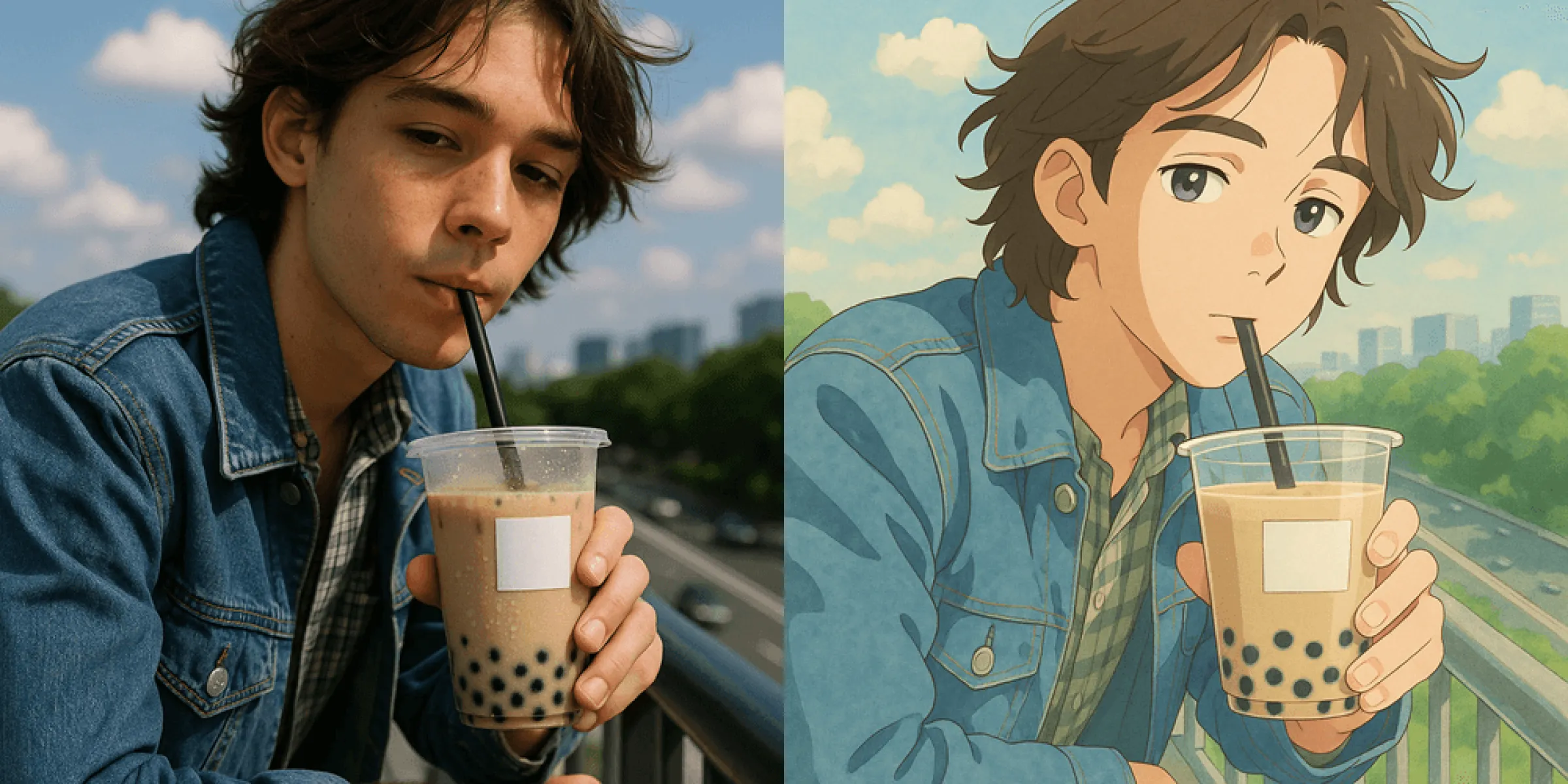
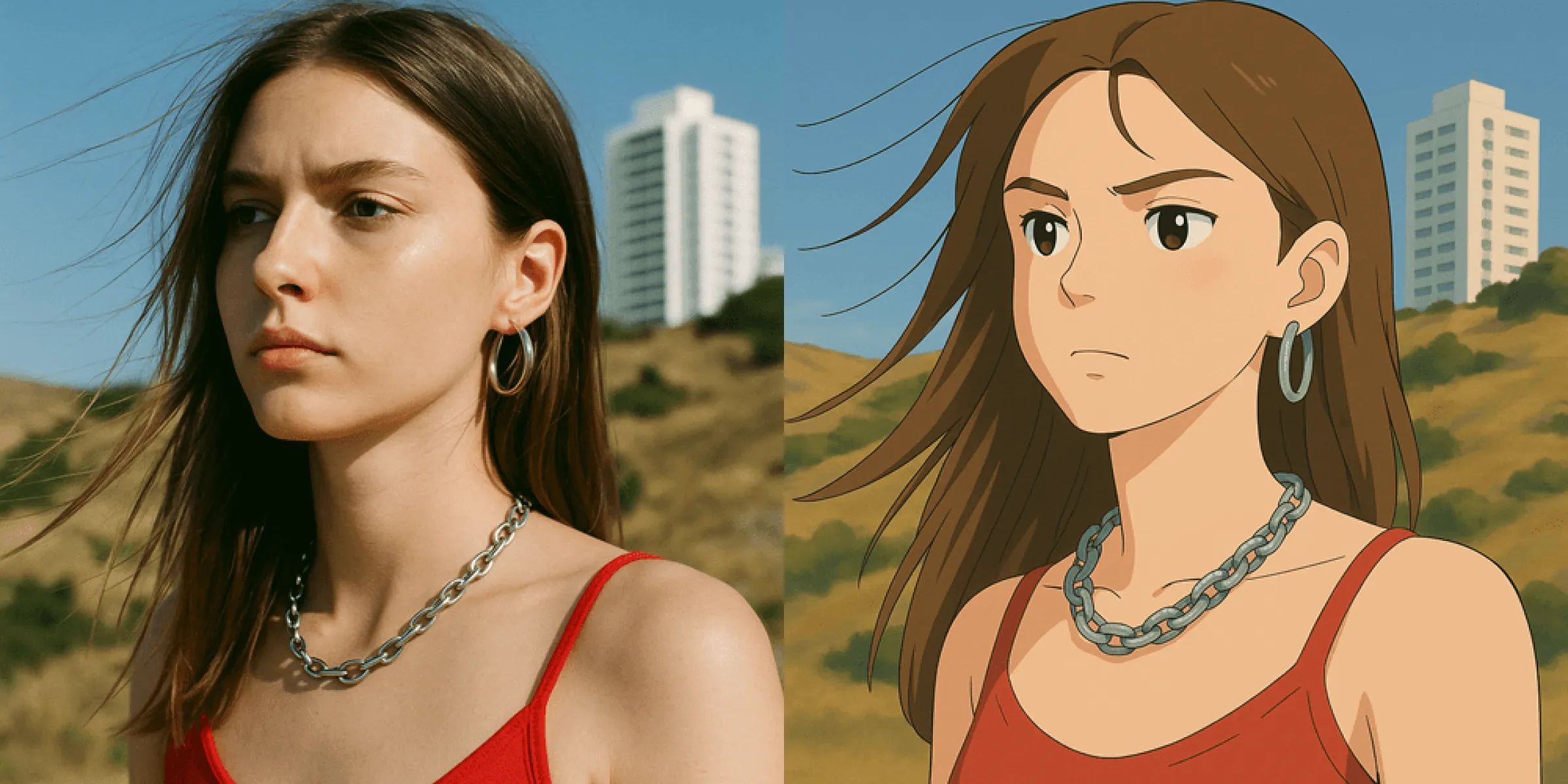
Fast Image AI is an online AI image-generation and style-transfer tool. No software installation is required — simply access it through your browser. By uploading photos or sketches, you can generate images in various artistic styles. Among these styles, the “Ghibli Style” is specifically designed to transform ordinary photos or images into illustrations with the visual aesthetics of Studio Ghibli films.
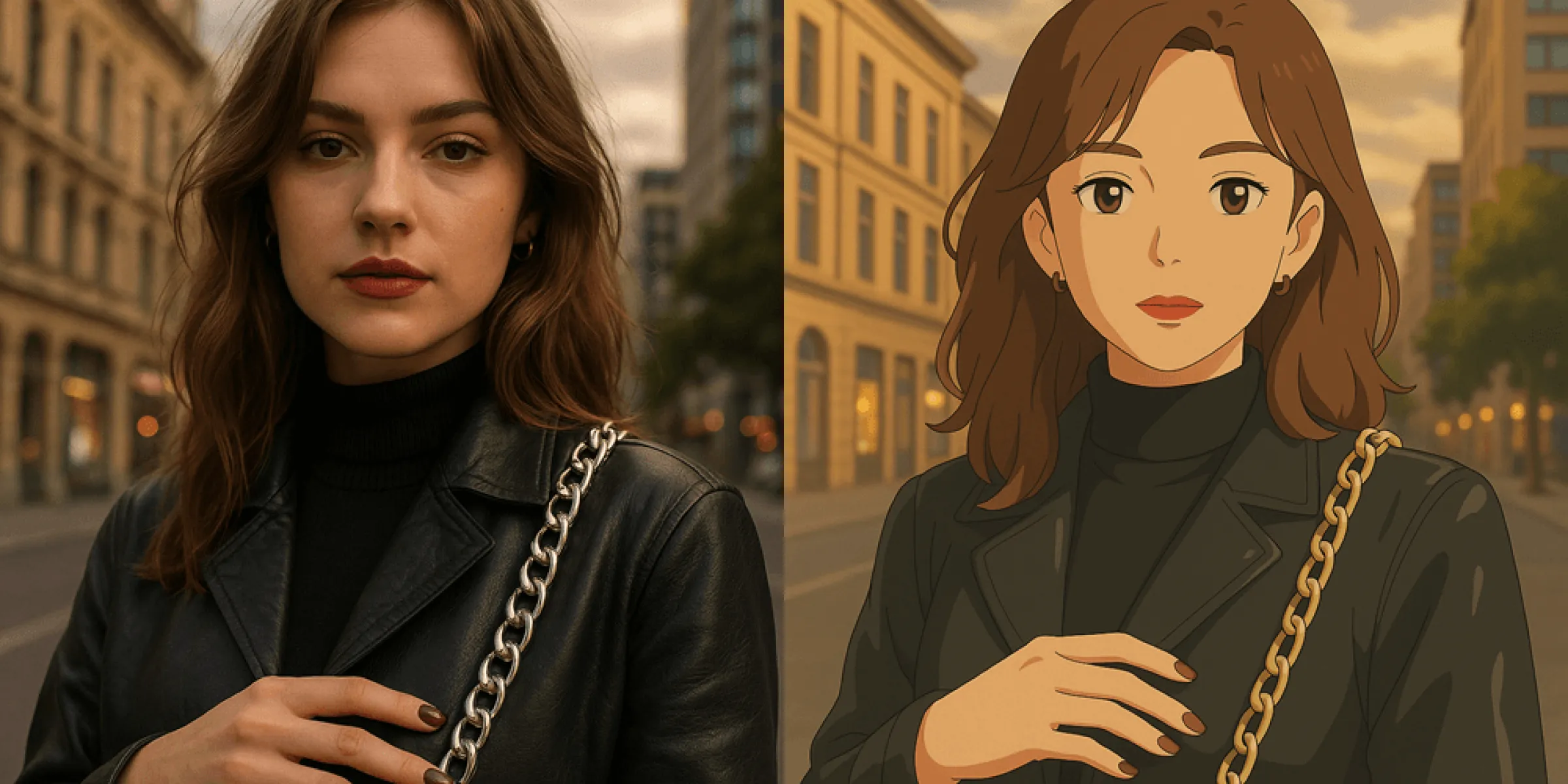
More specifically, the Ghibli-style generator analyzes the composition, subjects, and background of your input image and redraws it into a soft, watercolor-like, dreamy illustration. From skin tones and lighting to the background and overall color palette, the tool automatically remaps the visual elements to match the signature Ghibli look.
Key Characteristics of the Ghibli Style
Before diving into how Fast Image AI works, let’s reflect on what makes the “Ghibli style” instantly recognizable and emotionally captivating. Its core characteristics include:
• Soft colors and gentle lighting:Ghibli animations often feature warm, soothing colors with a delicate hand-painted texture — never harsh or sterile. This brings a nostalgic, cozy, and healing feeling to the viewer.
• Fantasy & dreamlike atmosphere:Characters and environments often appear touched by “magical realism” — grassy fields, forests, skies, water surfaces, floating dust, drifting wind, and dappled light all contribute to a fairy-tale dreaminess.
• Detailed background and emotional storytelling:Instead of simple blurred backdrops, Ghibli backgrounds are richly layered and atmospheric. Combined with character expressions and lighting, each frame feels like a moment from a larger narrative.
• Hand-drawn / watercolor illustration texture:Unlike real photos, Ghibli-style images emphasize brush strokes, lines, shadows, and painterly textures, giving the artwork a strong artistic feel.
• Warm, nostalgic, healing mood:The overall emotional tone leans toward gentle, natural, peaceful, and dreamlike — comforting and beautiful.
These traits make Ghibli-style artworks visually appealing and emotionally expressive. Even a simple portrait becomes filled with warmth, story, and imagination.
How to Generate a Ghibli-Style Avatar with Fast Image AI
Here is a complete tutorial showing how to convert your selfie, portrait, pet photo, landscape shot, or sketch into a Ghibli-style avatar using Fast Image AI.
1. Open Fast Image AI
Visit: https: // fastimage.ai(No software downloads required.) Register or log in to receive free credits for daily use.
2. Upload your image / sketch / reference / prompt
• Upload a portrait, selfie, pet photo, landscape, etc.
• Or upload a simple sketch or existing illustration as a reference.
• You may also add text prompts describing mood, background, or style details to increase creativity.
3. Select the “Ghibli Style”
Choose the Ghibli Style from the built-in style presets.
4. Adjust settings (optional)
• Aspect Ratio: Auto / 1:1 / 3:2 / 2:3.For avatars, 1:1 is recommended.
• Number of images: 1–4 versions.
• Extra prompts: Add keywords for mood, composition, light, emotion, etc.
5. Click “Generate”
Processing usually takes 10–30 seconds, depending on image complexity and server load.
6. Preview & download
If satisfied, download the image.If not, adjust prompts or upload a new image and regenerate.
With these simple steps, any ordinary photo can be instantly “Ghibli-fied,” producing an illustrated avatar full of charm and atmosphere.
Practical Uses of Ghibli-Style Avatars
Ghibli-style avatars generated with Fast Image AI have a wide range of uses — from personal enjoyment to creative production. Common applications include:
• Social media avatars / profile pictures
A Ghibli-style portrait is more artistic and unique than a normal photo — perfect for expressing personality.
• Content creation / blogs / headers / illustrations
If you're a content creator, writer, or blogger, using Ghibli-style artwork helps establish a warm, nostalgic, story-rich aesthetic for your posts.
• Gifts / memories / keepsakes
Transform photos of friends, family, or pets into charming Ghibli-style illustrations — great for wallpapers, greeting cards, prints, or digital gifts.
• Visual projects / storyboards / character design
The artwork can be used to explore concepts, character development, or scene layouts for creative projects.
• Creative experiments & inspiration
AI-generated Ghibli art can also spark new ideas — useful for drawing practice, visual exploration, or mixed-media projects.
A simple photo can evolve into countless possibilities once transformed into a dreamy, animated illustration.
Conclusion
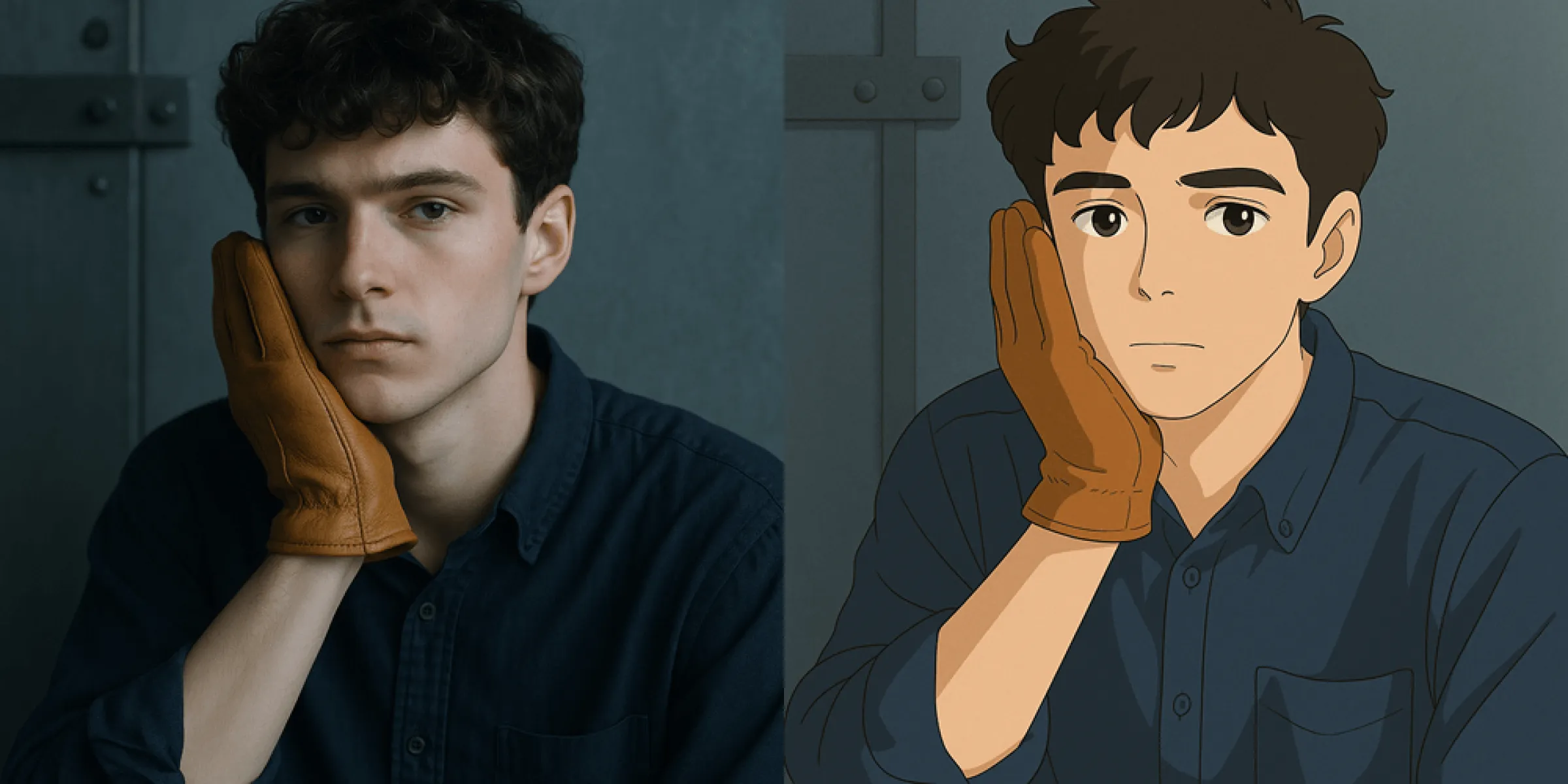
If you love animation, illustration, or warm, dreamy visual styles — or simply want your photos to feel more artistic and story-driven — Fast Image AI’s Ghibli-style generator is an excellent choice. It’s beginner-friendly, easy to operate, and can turn ordinary images into Ghibli-style artwork within minutes.
Give it a try: upload a selfie or a favorite photo, select the Ghibli style, and see what magic happens. You might be surprised at the gentle, dreamlike world the AI creates — as if stepping into a frame of your own animated story.