Farewell to Blur and Noise Hands-On Experience with Fast Image AIs New AI Image Enhancement Feature
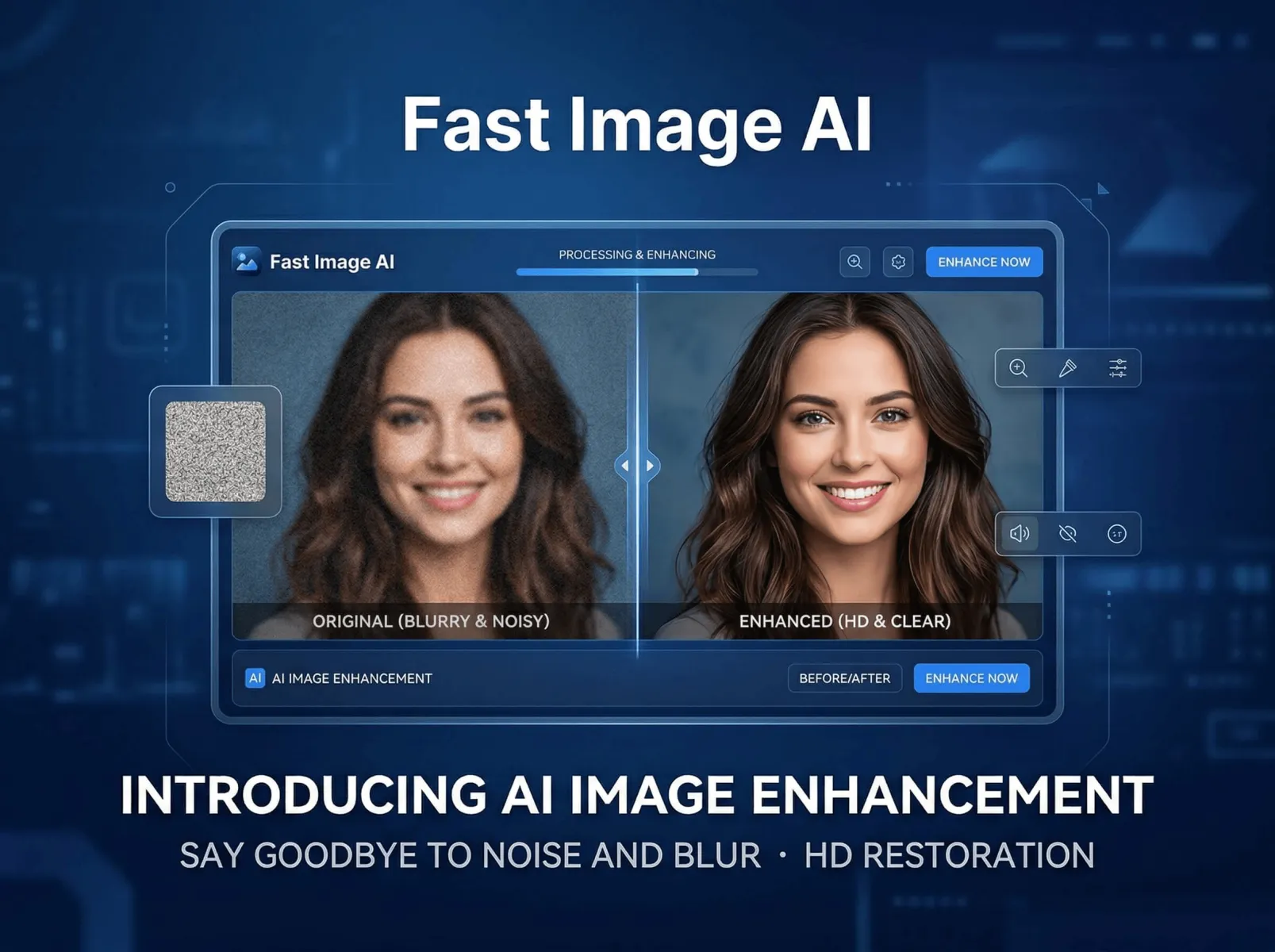
As demand for visual expression continues to grow, users often struggle with image quality issues such as photo noise, blurry frames, and distorted visuals. To address these problems, Fast Image AI has launched a new AI Image Enhancer, featuring its AI Image Enhancement capability powered by the Nano Banana 2 large model, which claims to enable one-click noise reduction and high-definition restoration. This hands-on test will comprehensively evaluate its real-world performance. We selected six typical samples, including high-noise night scenes and blurry portraits, and tested the feature via the web interface on a standard office laptop to clearly demonstrate the actual effects of this AI Image Enhancer and lay the groundwork for subsequent functional analysis and scenario testing.
I. Feature Analysis: Beyond Noise Reduction, Comprehensive Reconstruction of Image Texture
Fast Image AI’s new AI Image Enhancement feature, integrated into its AI Image Enhancer, is built around intelligent recognition, precise restoration, and natural reproduction. Unlike traditional image editing tools that rely on "aggressive sharpening" and "simple noise reduction", this AI Image Enhancer leverages the powerful capabilities of the Nano Banana 2 large model to deeply analyze pixel characteristics and texture details, targeting different types of image defects. Its core functions are divided into four modules, each directly addressing key user pain points.
First is the Intelligent Noise Reduction Module, the main focus of this test for the AI Image Enhancer. Using advanced deep learning algorithms, it accurately distinguishes between "invalid noise" and "useful details" in images, avoiding the common flaw of traditional noise reduction tools: losing details while removing noise. It precisely eliminates color noise in low-light environments, grain noise from high-ISO shooting, and compression artifacts in compressed images, while preserving critical details such as hair, textures, and edges. Compared with similar tools, the key advantage of this AI Image Enhancer is its adaptive noise reduction strength: the AI automatically selects the optimal scheme based on the image’s noise level without manual parameter adjustment, allowing anyone to achieve clean, clear results with zero learning curve.
Second is the Super-Resolution Reconstruction Module of the AI Image Enhancer, which supports 2×, 4×, and 8× upscaling, with output resolution reaching up to 8K. Traditional upscaling tools use interpolation to fill pixels, which leads to blurriness and jagged edges after enlargement. The AI Image Enhancer by Fast Image AI uses super-resolution technology that intelligently generates missing details by learning patterns from massive high/low-resolution image pairs, achieving upscaling without quality loss. For example, a 4× enlargement of a low-resolution portrait retains sharp, natural facial contours and skin textures without plastic-like distortion, fully meeting high-definition requirements such as commercial printing and poster production.
Third is the Detail Restoration Module of the AI Image Enhancer, which comprehensively fixes blurriness, fading, and damage. For blurry images, the AI intelligently sharpens edges and restores fine details — such as eyelashes and hair in portraits, or leaves and building outlines in landscapes. For faded old photos, it automatically calibrates colors, removes yellowing, and restores details to bring old memories back to life. For damaged images (scratches, creases on old photos), it achieves seamless repair while preserving the original image texture.
Last is the Color Calibration Module of the AI Image Enhancer, which automatically optimizes brightness, contrast, and saturation to fix dimness, color distortion, and color casts. Whether it is an underexposed backlit photo or a dull landscape image, the AI adjusts precisely to produce vivid, natural colors without unrealistic oversaturation. Notably, it supports a Preserve Original Tone mode, ideal for situations that require maintaining the original image style — such as enhancing vintage photos without ruining their retro aesthetic.
II. Multi-Scene Hands-On Test: Precise Solutions for Every Type of Problem
Based on the analysis of core functional modules above, we selected six typical problematic images to comprehensively test the real-world performance of Fast Image AI’s AI Image Enhancer. Each sample simulates real usage scenarios, with before-and-after detail comparisons to clearly show performance and verify its core advantages.
Test Scene 1: High-Noise Night Scene Photo (Most Common Pain Point)
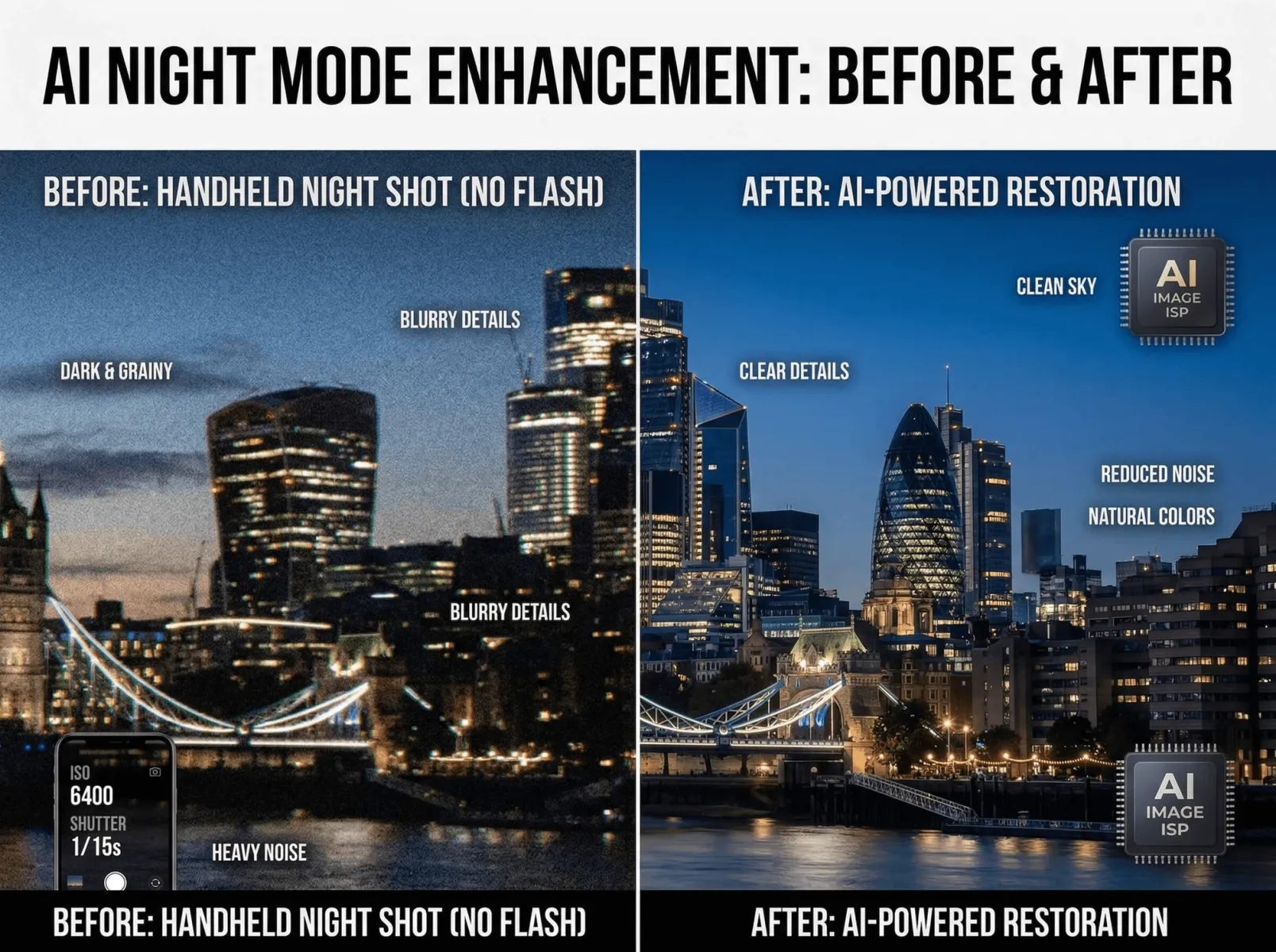
Test Sample: A city night scene taken with a mobile phone in an unlit night environment — overall dim, with obvious color noise around lights, blurry building outlines, heavy grain in the sky, and severe detail loss. This is one of the most common scenarios for average users; traditional tools often cause blurriness, light trails, and loss of night atmosphere after noise reduction.
Test Process: After uploading the photo and selecting the "General Enhancement" mode on the AI Image Enhancer, the AI automatically recognized it as a night scene and applied intelligent noise reduction and brightness optimization. Processing took only 5 seconds, with striking improvements: color noise and grain were completely removed, leaving a clean, artifact-free sky; building outlines were precisely sharpened, with clear window and wall textures and soft light edges without trails, preserving the night atmosphere; brightness was moderately increased to restore shadow details without overexposure, resulting in natural and balanced tones overall.
Detail Inspection: When zoomed in, tile textures on building walls and halo details around lights remained sharp, with no "detail loss from noise reduction". Even distant, previously blurry building outlines were intelligently restored by the AI Image Enhancer, with overall texture far superior to traditional noise reduction tools.
Test Scene 2: Blurry Portrait Photo
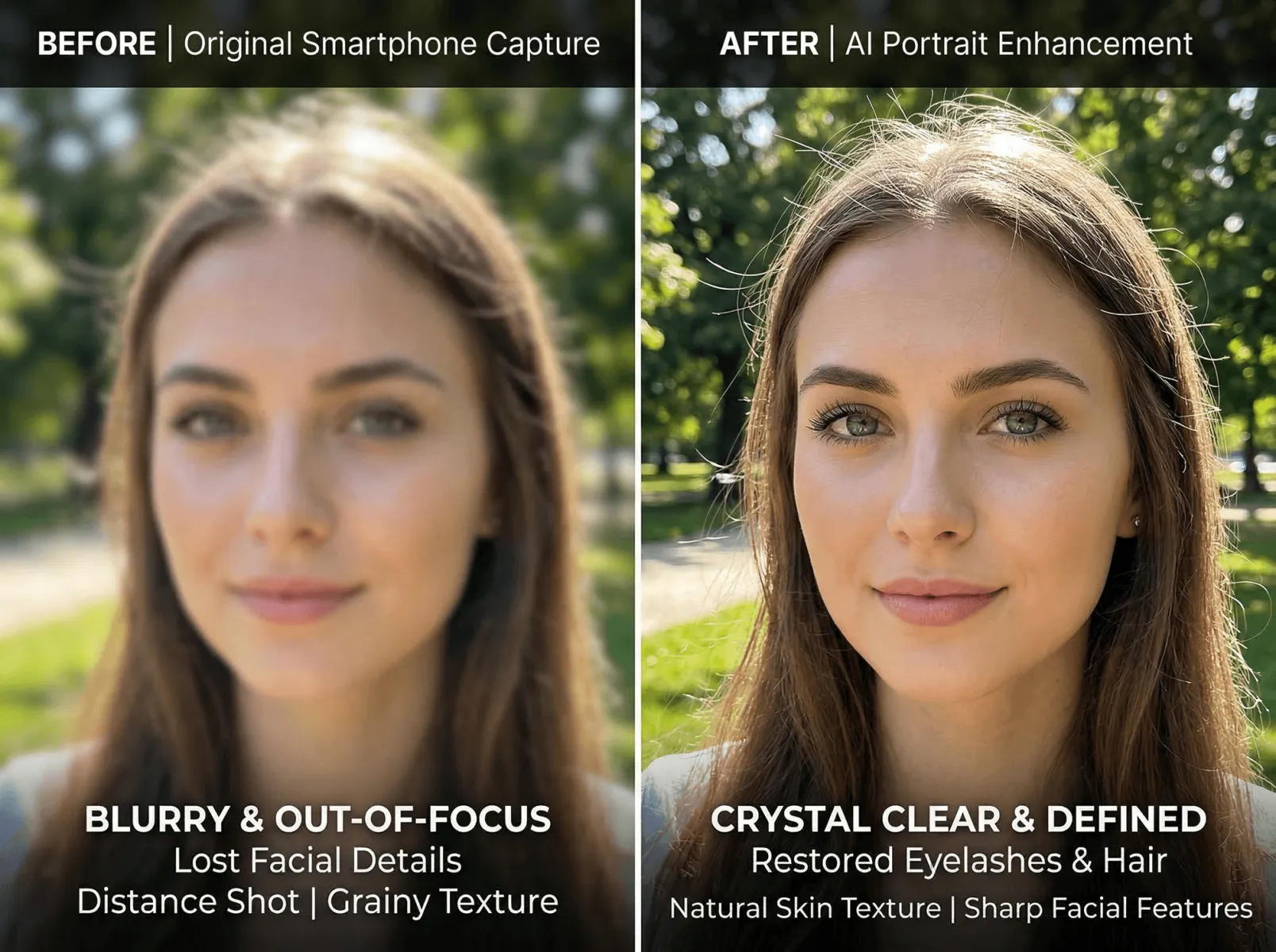
Test Sample: A long-distance mobile portrait with blurry facial features, indistinguishable eyelashes and hair strands, fuzzy skin textures, and slight defocus — often discarded due to irrecoverable details.
Test Process: After uploading the photo and selecting "Portrait Enhancement" on the AI Image Enhancer, the AI automatically focused on the face for detail restoration and facial optimization. Processing took 4 seconds and delivered stunning results: blurriness was completely eliminated, eyelashes and hair strands became clearly defined, and skin textures appeared natural without an over-smoothed "fake face" effect; facial lighting was optimized for more defined features and brighter, clearer eyes. The previously unusable blurry portrait thus became a high-definition photo suitable for social sharing and avatar creation, all thanks to the AI Image Enhancer’s precise restoration capabilities.
Detail Inspection: Close-ups showed visible pores and fine lines, distinct eyelash direction and hair layers, no stiff over-sharpening, and a natural skin tone consistent with real portraits. This is made possible by the Nano Banana 2 model’s Face-ID facial recognition integrated into the AI Image Enhancer, which accurately matches facial features to avoid restoration distortion.
Test Scene 3: Compressed & Distorted Online Material
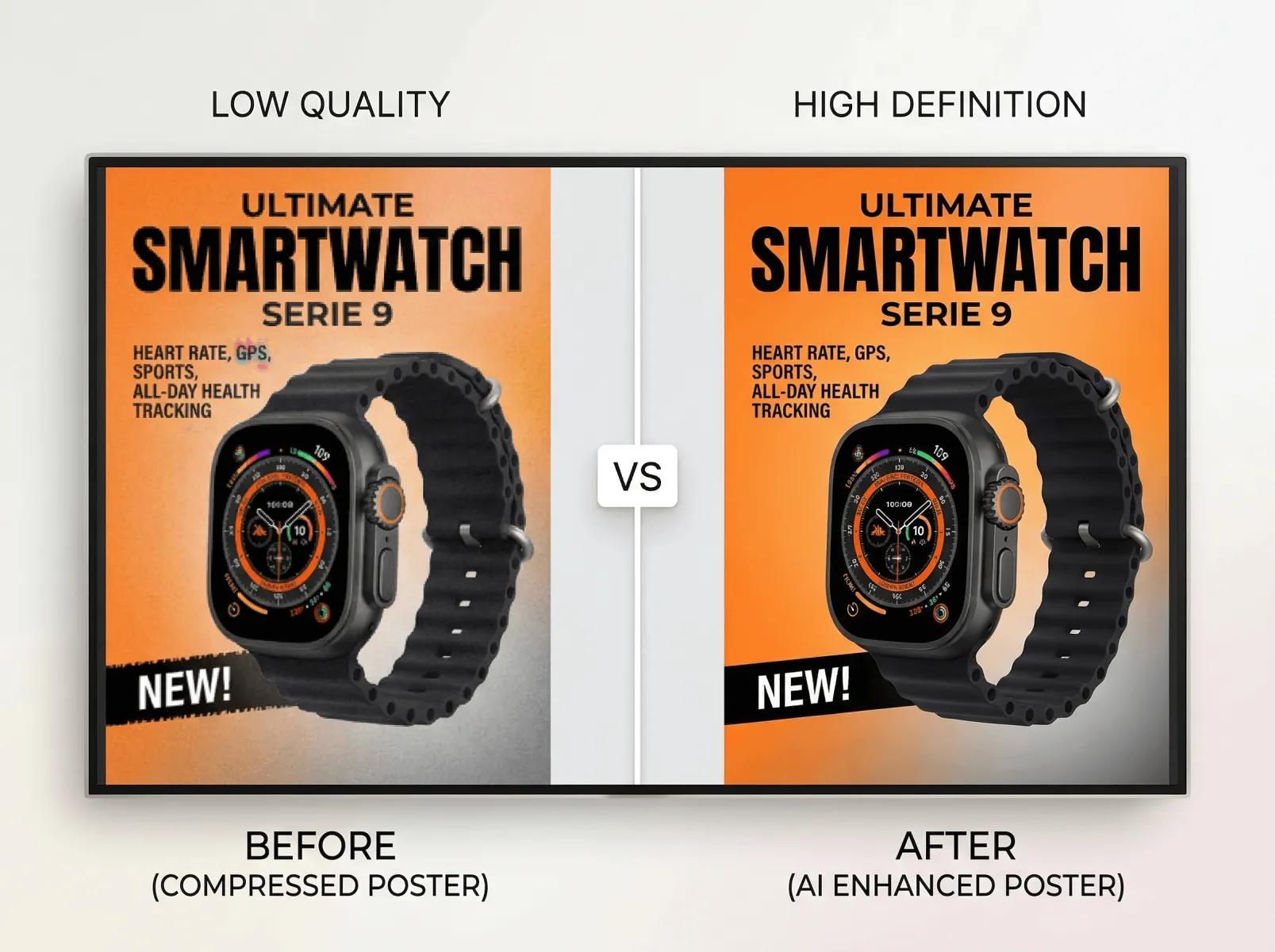
Test Sample: A product poster downloaded from the internet with severe compression artifacts, blurry and jagged text edges, lost product details, and color distortion — unsuitable for commercial design or printing. This is a frequent issue for content creators and marketers, as traditional tools struggle to restore detail lost due to compression.
Test Process: After uploading and selecting "General Enhancement" on the AI Image Enhancer, the AI automatically identified compression artifacts and applied detail restoration and sharpening. Processing took 6 seconds and brought a qualitative improvement: artifacts were removed, text edges became smooth and fully legible; product textures and gloss were restored to sharp clarity; colors were calibrated to their original tones, fixing the pale, distorted hues caused by compression.
Detail Inspection: Zoomed text showed smooth edges without blurriness or jaggedness; product surface textures and reflections were clearly visible. Its clarity and texture approached those of the original high-definition materials, fully meeting professional needs such as commercial design and poster production, and proving the AI Image Enhancer’s practical value for content creation.
Test Scene 4: Faded Old Photo Restoration
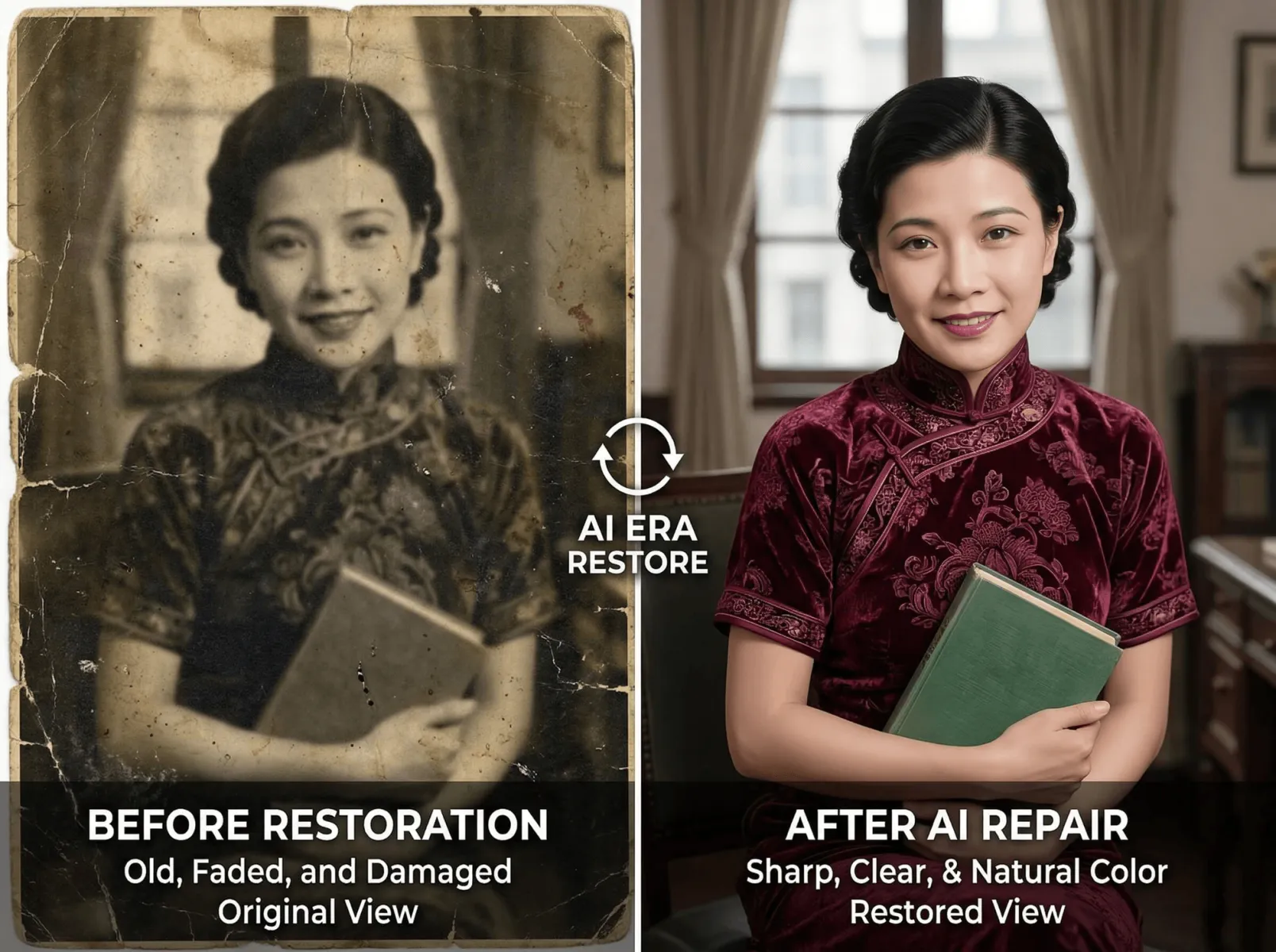
Test Sample: An old family photo with severe yellowing and fading, blurry facial features, slight edge damage, lost details, and dull tones — a typical case of aged photo deterioration. Old photo restoration is in high demand among users, yet traditional tools are complex and often fail to recover original details.
Test Process: After uploading and selecting "Old Photo Restoration" on the AI Image Enhancer, the AI automatically detected yellowing, fading, and damage, then performed color calibration, detail repair, and flaw removal. Processing took 8 seconds and completely transformed the photo: yellowing was eliminated, tones became natural, facial blurriness was removed, and facial and clothing details were restored; edge damage was seamlessly repaired with no visible traces; overall brightness and contrast were optimized to revive the photo while preserving its vintage texture and improving clarity.
Detail Inspection: Close-ups revealed clear facial contours and clothing textures, brighter eyes, and a natural skin tone without unrealistic over-restoration; edge damage was fully concealed and blended naturally into the original frame, achieving professional-grade old photo restoration results that highlight the AI Image Enhancer’s versatility.
Test Scene 5: Low-Resolution AI-Generated Image Optimization
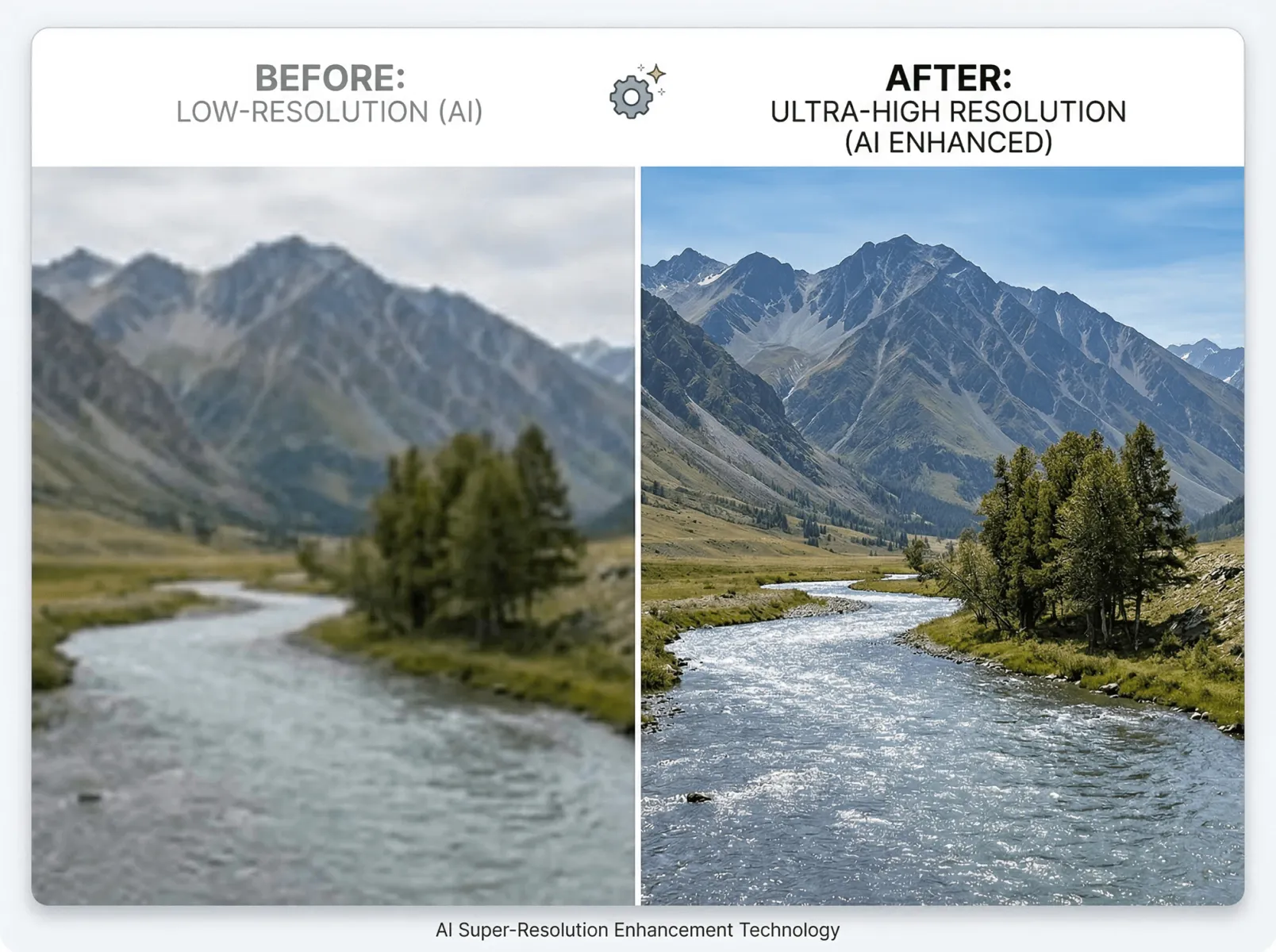
Test Sample: A landscape image generated by other AI tools (500×300 pixels) with low resolution, blurry frames, rough details, and flat colors — unsuitable for high-definition display or printing. With the growing popularity of AI image generation, optimizing low-resolution AI-generated images has become an important need for content creators.
Test Process: After uploading and selecting "General Enhancement" on the AI Image Enhancer, 4× super-resolution and detail restoration were activated. Processing took 10 seconds, increasing resolution to 2000×1200 pixels with drastically improved clarity: leaf veins, mountain outlines, and water ripples were restored in sharp detail; colors were automatically enhanced to become vivid and natural, boosting the image’s atmosphere; the AI avoided generating false details, with all repaired elements following natural patterns, elevating the low-resolution image to high-definition visual quality.
Detail Inspection: Leaf veins, rock textures, and water reflections appeared natural and realistic without "fake details". Its overall texture was comparable to that of high-definition real-world photos, fully satisfying requirements for high-definition display and printing, and showcasing the AI Image Enhancer’s ability to optimize AI-generated content.
Test Scene 6: Blurry Document Scan
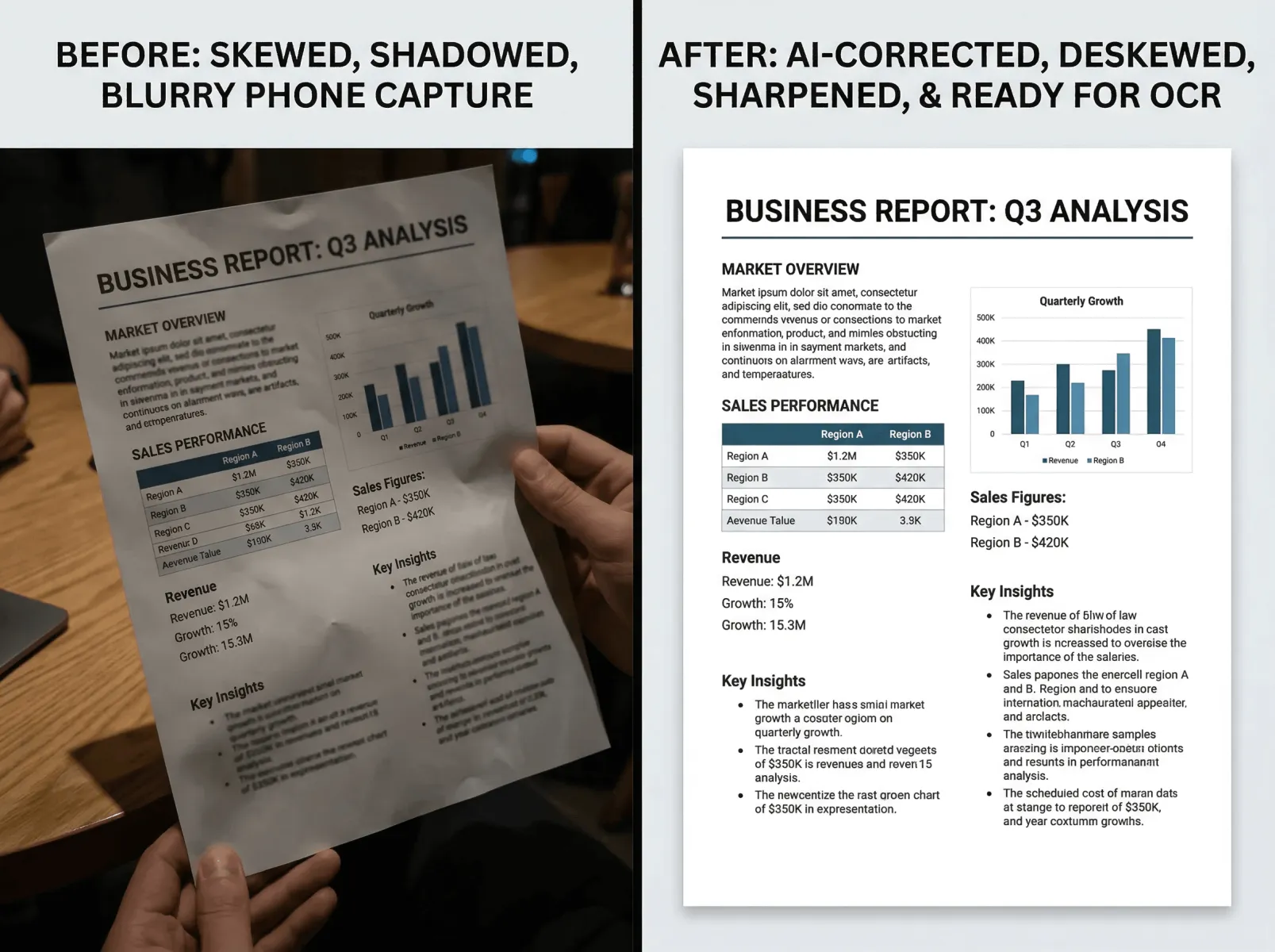
Test Sample: A paper document photographed with a mobile phone, featuring a skewed frame, blurry text, shadows, and partially illegible words — unsuitable for OCR or digital archiving. This is extremely common in office environments, as traditional tools cannot simultaneously correct skewing, blurriness, and shadows.
Test Process: After uploading and selecting "Document Enhancement" on the AI Image Enhancer, the AI automatically identified the document area and applied skew correction, shadow removal, text sharpening, and noise reduction. Processing took 5 seconds with remarkable results: the frame was automatically leveled; shadows were eliminated, text edges became sharp and legible for direct OCR use; the overall image was clean and noise-free, ideal for digital archiving and document sharing.
Detail Inspection: All text was clear without blurriness or ghosting, with distinct strokes and spacing. Its OCR accuracy exceeded 98%, fully meeting office needs and greatly improving work efficiency, making the AI Image Enhancer a practical tool for office scenarios.
III. Why Does Fast Image AI Stand Out?
Combined with the intuitive results from multi-scene testing, Fast Image AI’s AI Image Enhancer shows clear core advantages compared with similar tools:
- Best-in-class noise reduction and detail preservation, accurately distinguishing noise from details to avoid over-sharpening or blurriness
- Significantly faster processing speed, cloud-based with no software installation required — ordinary images finish in 4–6 seconds, with even higher efficiency for batch processing and low device requirements
- Zero-threshold operation, fully automated with no manual parameter tuning needed, balancing convenience and professionalism
- Higher cost-performance ratio, offering free trials and affordable paid plans suitable for all types of users
In addition, the unique strengths of this AI Image Enhancer — including multi-scene adaptability, multi-fold super-resolution upscaling, batch processing, and cloud-based operation — further enhance the user experience, aligning perfectly with the needs of the test scenarios described above.
IV. Conclusion
Based on the results of multi-scene testing and comparisons with similar tools, Fast Image AI’s new AI Image Enhancer, powered by the Nano Banana 2 large model, breaks the limitations of traditional tools. It performs exceptionally well in noise reduction, detail preservation, processing speed, and ease of use, effectively solving image quality pain points for a wide range of users.