Generate AI Renders Without Modeling - Turn Sketches to Realistic Visuals in Seconds
Turning hand-drawn sketches and line art into realistic renderings quickly is a common pain point for countless designers and e-commerce creators. Traditional 3D modeling and rendering are time-consuming and labor-intensive, while most general AI tools suffer from inaccurate recognition, slow image generation, and steep learning curves—issues that severely hinder design iteration and commercial rendering efficiency.
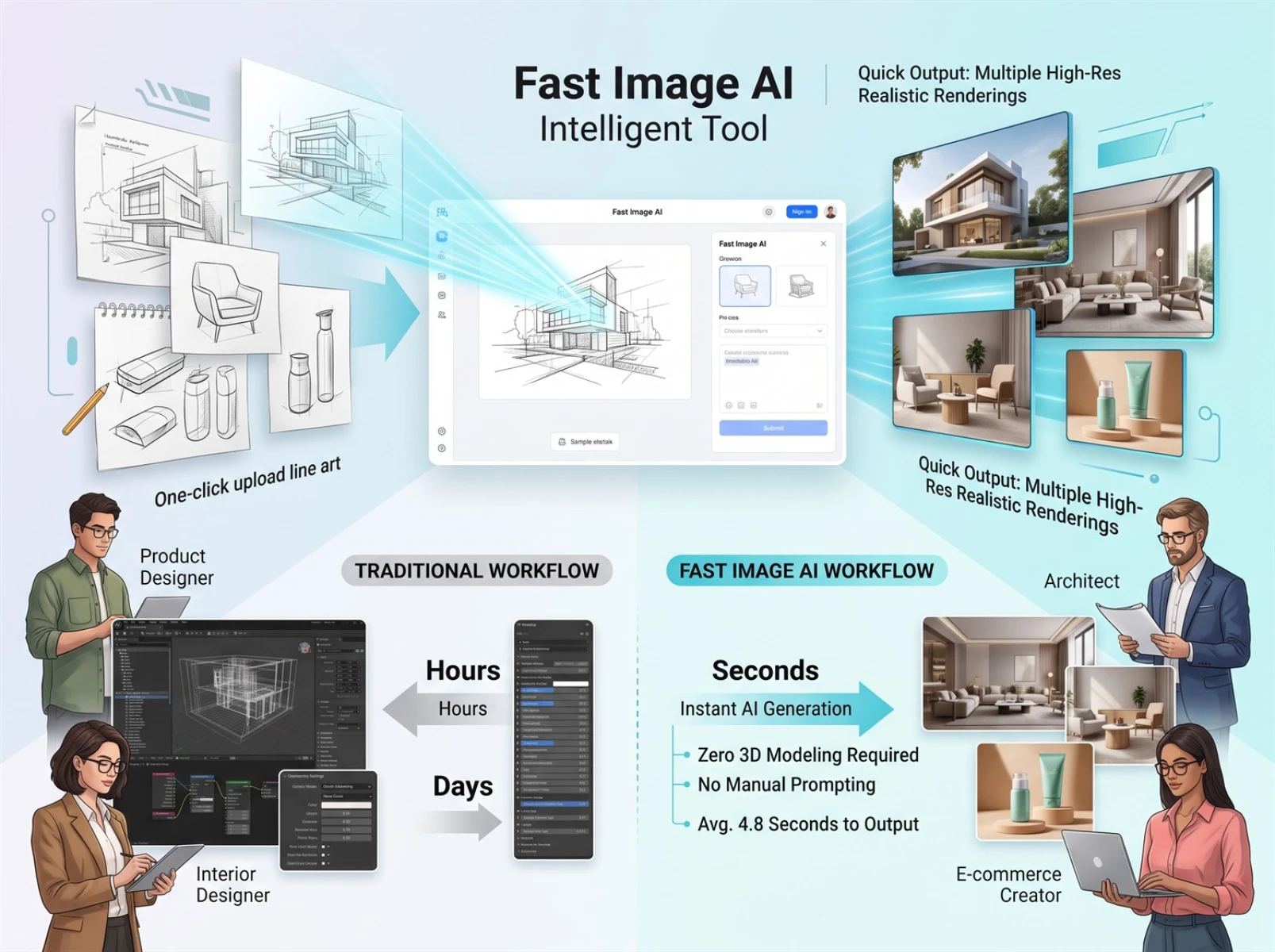
After testing multiple mainstream tools, we found that Fast Image AI’s sketch-to-image feature effectively solves these pain points. It requires no modeling or complex prompts; users only need to upload line art to generate commercial-grade photorealistic renderings. Unlike traditional rendering workflows that take hours, each finished image takes an average of just 4.8 seconds to generate, cutting out over 80% of repetitive steps in conventional design work.
I. What Is AI Sketch-to-Image Technology
AI sketch-to-image is a technology that uses artificial intelligence to analyze hand-drawn line art, sketches, and design drafts before automatically generating complete renderings. Its biggest advantage over traditional design workflows is that it eliminates full manual modeling from scratch: the AI directly reads a sketch’s outlines, proportions, and structural logic, then automatically fills in materials, lighting, colors, and fine details.
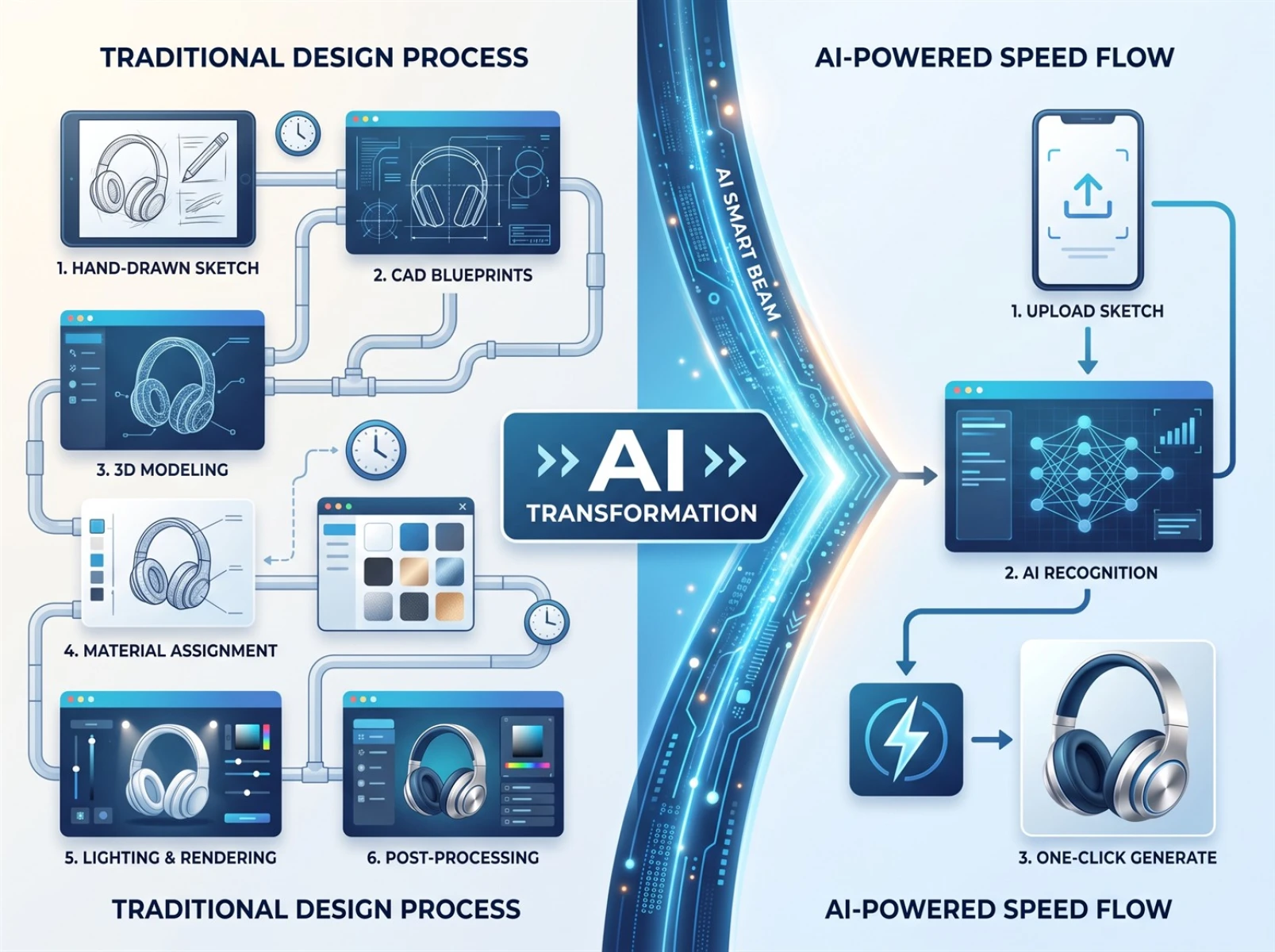
Traditional rendering workflows involve many steps and long lead times, whereas AI sketch generation drastically streamlines repetitive labor:
Traditional Process: Hand-drawn Sketch → CAD Drafting → 3D Modeling → Material Adjustment → Lighting Rendering → Post-Production Retouching. The full pipeline often takes several hours or even days.
AI Sketch-to-Image Process: Upload Sketch → AI Structural Analysis → One-Click High-Definition Rendering, finished in mere seconds.
This streamlined workflow greatly lowers the barrier to professional design. Ordinary creators can rapidly produce visuals that meet commercial standards without learning CAD, 3D modeling, post-production retouching, or other specialized skills.
II. Limitations of Generic AI Drawing Tools for Sketch Rendering
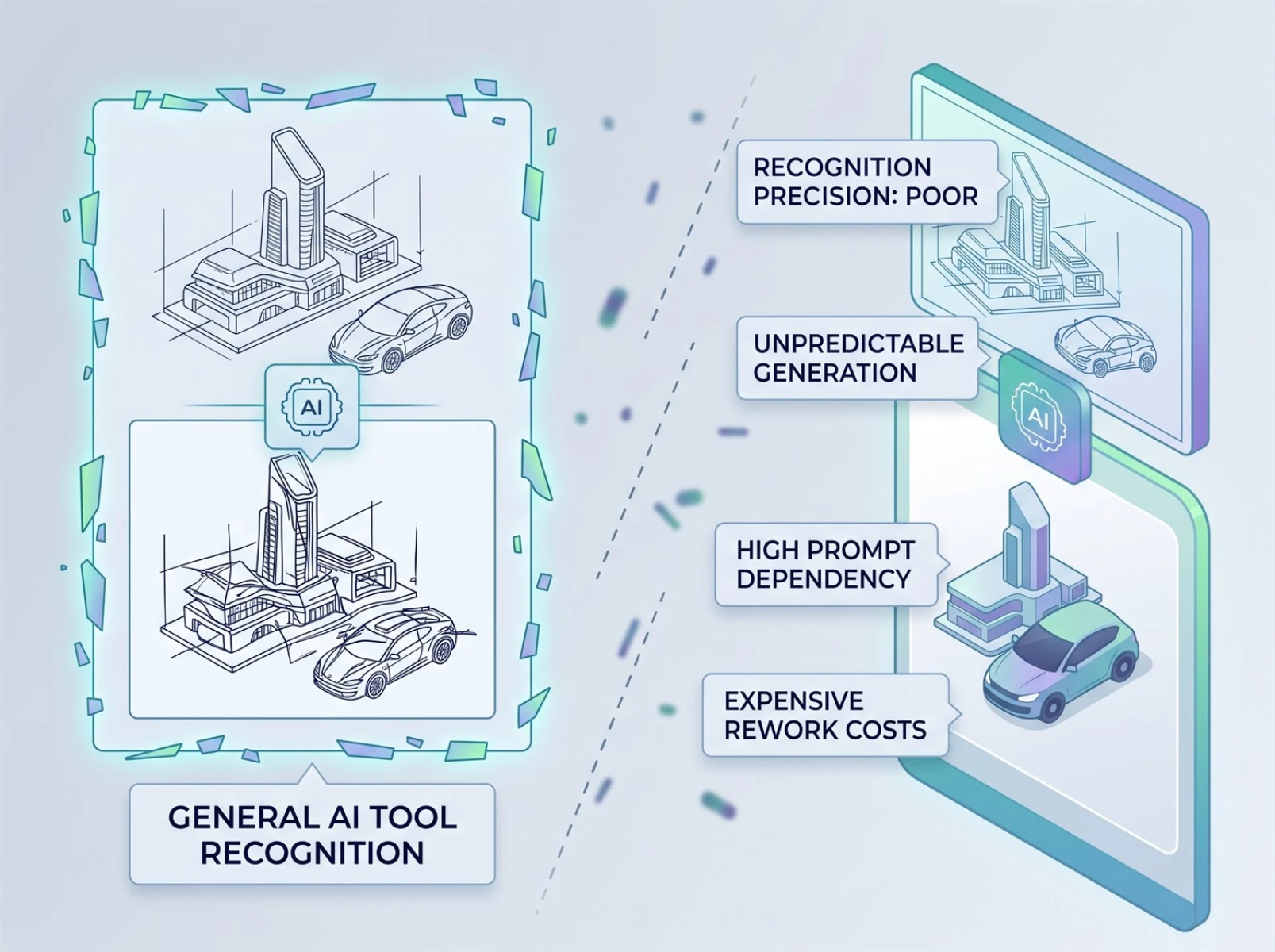
While mainstream general AI drawing tools offer versatile functionality, they have clear flaws for professional sketch rendering and cannot meet the high-precision demands of the design industry. Most tools fail to accurately parse complex line art, frequently distorting the original proportions and structures of products, buildings, and spaces, producing highly inconsistent outputs with poor controllability.
Additionally, these tools rely heavily on well-crafted prompts. Users must meticulously describe style, materials, lighting, and other details to get barely usable results, and repeated iterations rarely align with the original design intent. Our testing of various generic AI drawing tools showed that fewer than 50% of complex design sketches produced usable renderings, leading to excessive rework costs that fail to satisfy the strict precision requirements of architectural, industrial, and product design.
III. Complete Operation Workflow for Fast Image AI Sketch-to-Image
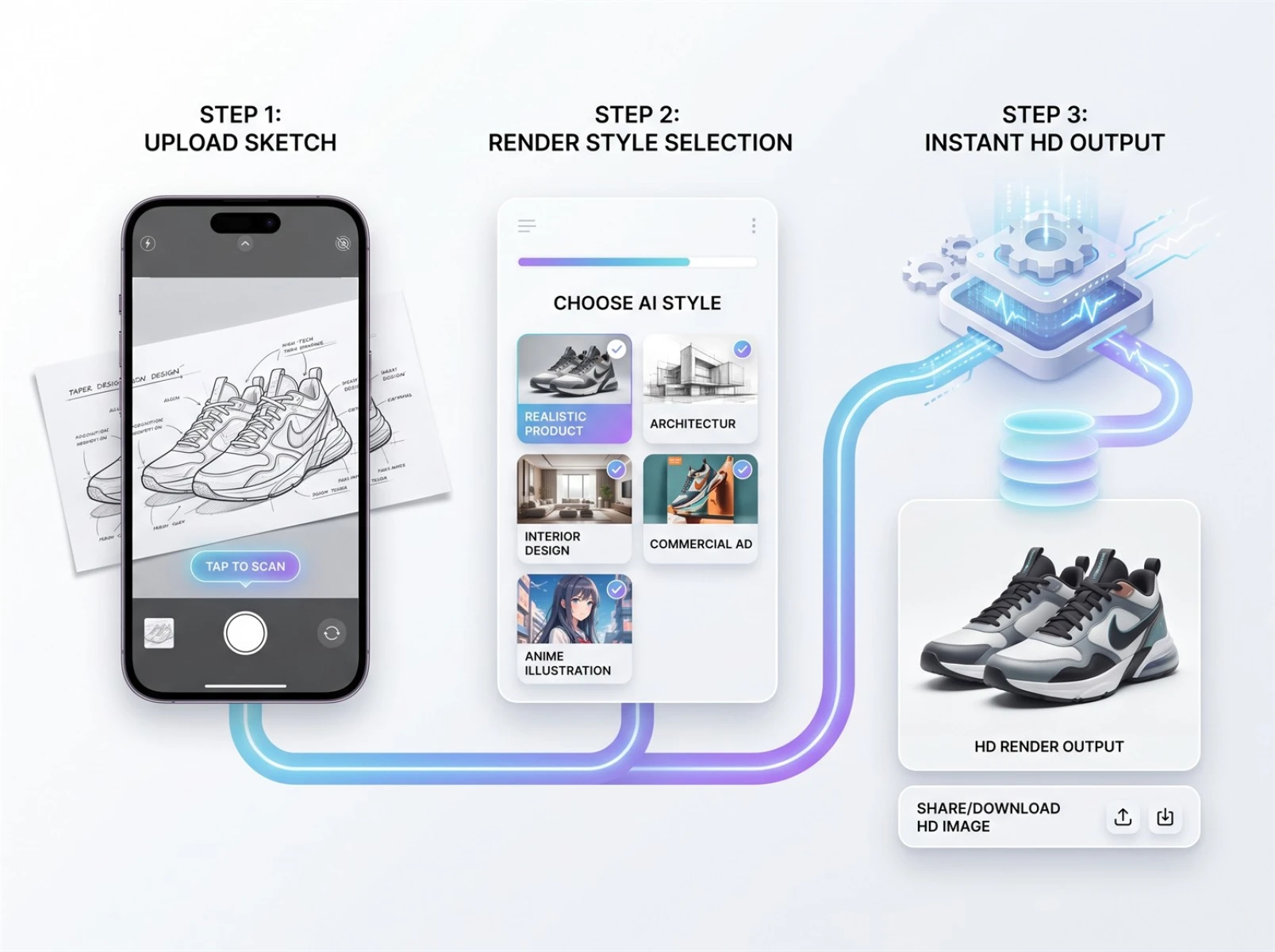
Fast Image AI specializes in zero-threshold professional rendering, requiring no modeling or manual prompt writing. High-precision renderings can be generated in three ultra-simple steps; dozens of tests have proven its stable performance and compatibility with most sketch rendering use cases.
Step 1: Upload any sketch
The platform supports all types of hand-drawn and line-based materials, including paper sketches, product line art, architectural sketches, interior design drafts, furniture drawings, UI prototypes, illustration linework, and character design sheets. Mobile photos of paper sketches are recognizable without elaborate pre-editing.
Step 2: Select your target output style
Users can freely switch between styles based on their use case, including photorealistic product rendering, industrial design textures, architectural visualization, interior decoration renders, commercial advertising aesthetics, illustrations, and anime art—covering diverse creative and commercial needs.
Step 3: Automatic AI analysis and rendering generation
The system intelligently analyzes each sketch’s structures, proportions, and details, then auto-matches suitable materials and lighting to export high-definition commercial-grade images. Across more than 30 test groups with different sketches, the average generation time held steady at 4.5–5.2 seconds, with most standard sketches rendered within 5 seconds—far faster than traditional rendering and generic AI tools.
IV. Actual Rendering Performance & Core Advantages of Fast Image AI
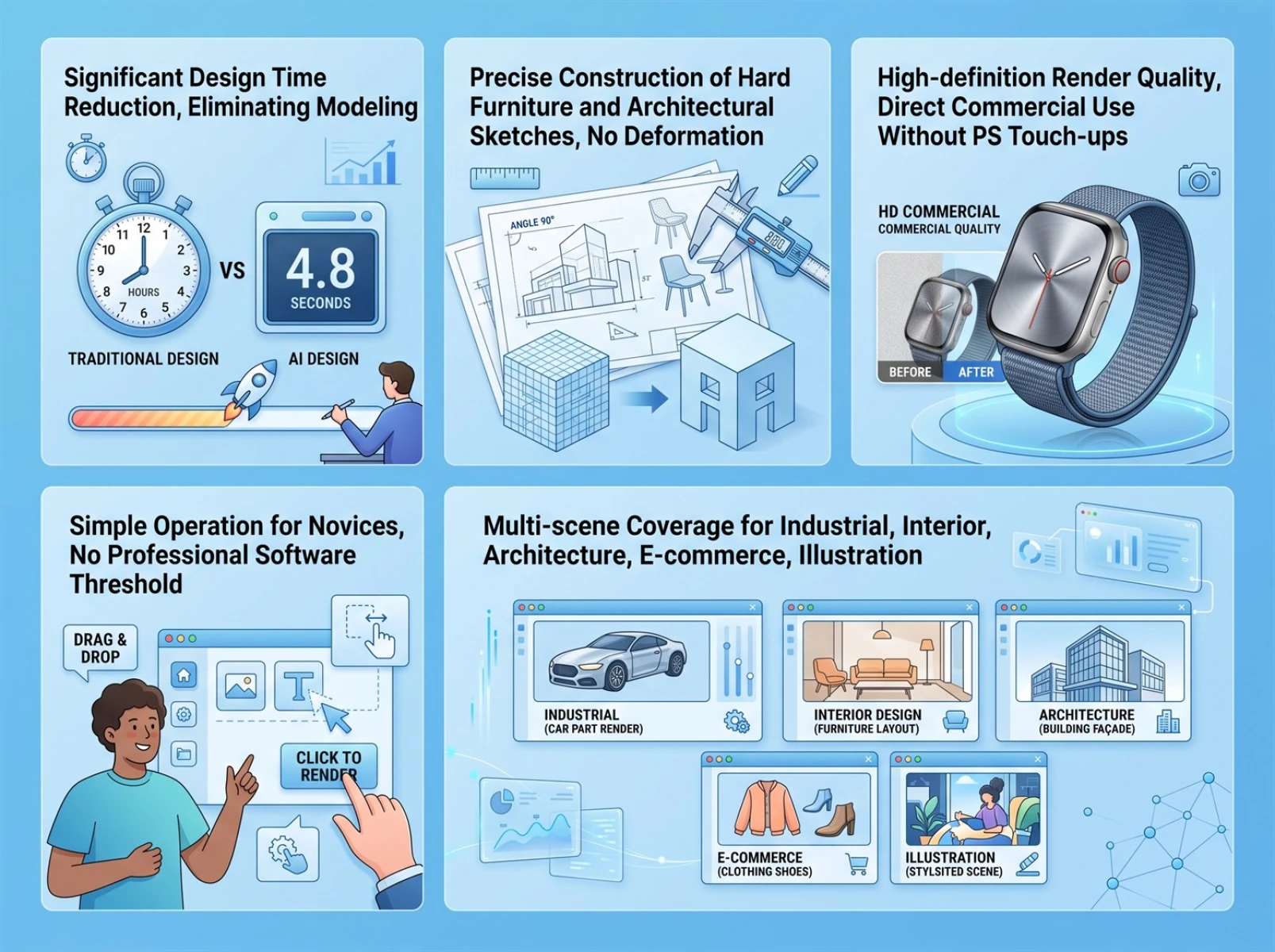
1. Eliminates modeling workflows to drastically cut design time
We tested 20 standard architectural, interior, and product sketches covering furniture structures, small home appliances, residential floor plans, and building facades. With only mobile photo uploads and no fine retouching, 18 sketches produced usable renderings on the first try. No modeling, lighting tweaks, or material mapping are required, with an average generation time of 4.8 seconds per image. Compared with traditional multi-hour modeling and rendering pipelines, over 80% of repetitive work is eliminated, making this tool ideal for rapid initial draft iteration and concept validation.
2. Stable structural reconstruction with variable accuracy across sketch types
Tests clearly show optimal recognition performance for rigid structures: furniture line art, product structural sketches, and architectural floor plans deliver the highest reconstruction accuracy. Proportions, cutouts, edges, and spatial layouts match hand-drawn artwork exactly, with no distortion, imbalance, or skewed sizing. Recognition tolerance is slightly lower for soft character line art and fluid illustration strokes; minor secondary generation tweaks for a small number of complex character poses deliver ideal results, with overall controllability vastly superior to standard AI drawing tools.
3. Output quality meets commercial standards for all scenarios
All test renders feature crisp details, natural light-shadow gradients, and authentic material textures, ready for direct commercial use without Photoshop post-editing. They fully support client design presentations, e-commerce product hero images, promotional posters, and social media marketing materials, reducing extra post-production labor and fitting the commercial needs of small-to-medium teams and independent creators.
4. Zero learning curve, independent of professional software and prompts
We recruited absolute beginners and non-design staff to test the tool. No prompt syntax training or proficiency in CAD, 3ds Max, Rhino, or other professional software is required. Users only upload sketches and select a style to independently generate high-quality renderings, resulting in an extremely gentle learning curve perfect for urgent fast-track rendering.
5. Wide cross-scenario compatibility for professional and lightweight creation
Multi-scenario test results confirm the tool works best for industrial products, interior spaces, building facades, furniture design, and e-commerce visuals. It also supports lightweight creative work such as game assets, illustration line art, and UI prototype visualization, suiting both daily professional rendering for design studios and personal amateur creation.
V. Target User Groups & Applicable Scenarios
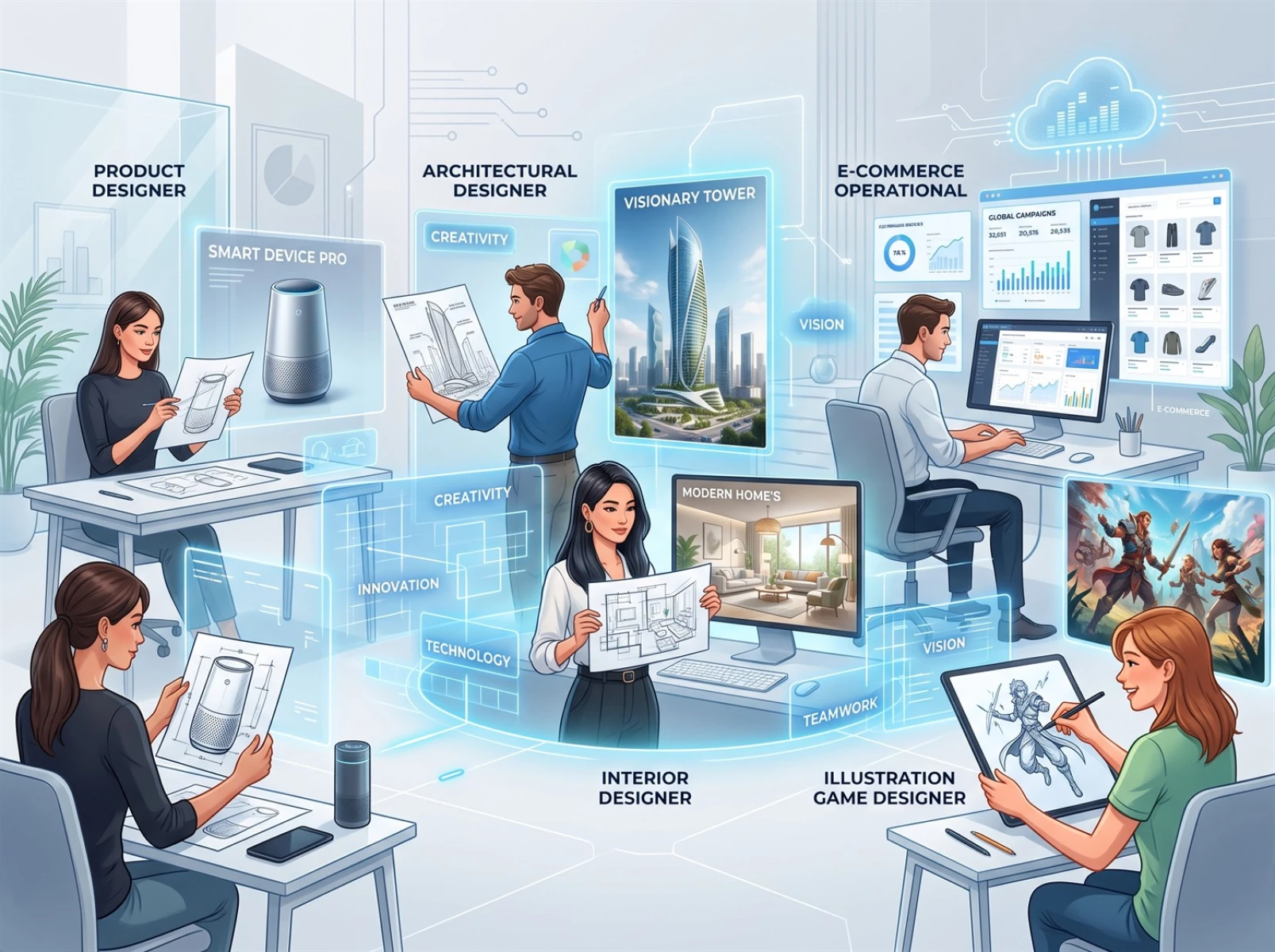
• Product Designers: Convert hand-drawn conceptual sketches into photorealistic product renders in roughly 5 seconds. Skip waiting for modeling and rendering to accelerate concept validation, iteration, and shorten product R&D cycles.
• Architectural Designers: 90% of hand-drawn architectural sketches produce usable renders on the first pass, instantly converting hand-drawn and planar sketches into lifelike architectural visuals for preliminary design reviews and external client presentations.
• Interior Designers: Skip hours of traditional rendering wait times to instantly generate decoration and layout renders from spatial drafts. Visualize design ideas clearly, reduce miscommunication with clients, and boost collaboration efficiency.
• E-commerce Operators: New product promotional visuals generate in just 5 seconds, cutting the production cycle from the half-day timeline of traditional design workflows to speed up marketing asset creation and new product launches.
• Illustrators & Game Designers: One-click conversion of line art into complete scenes, character art, and props with no secondary editing required. Greatly speed up creative execution and support high-volume creative output.
VI. Practical Tips to Improve AI Sketch Render Quality
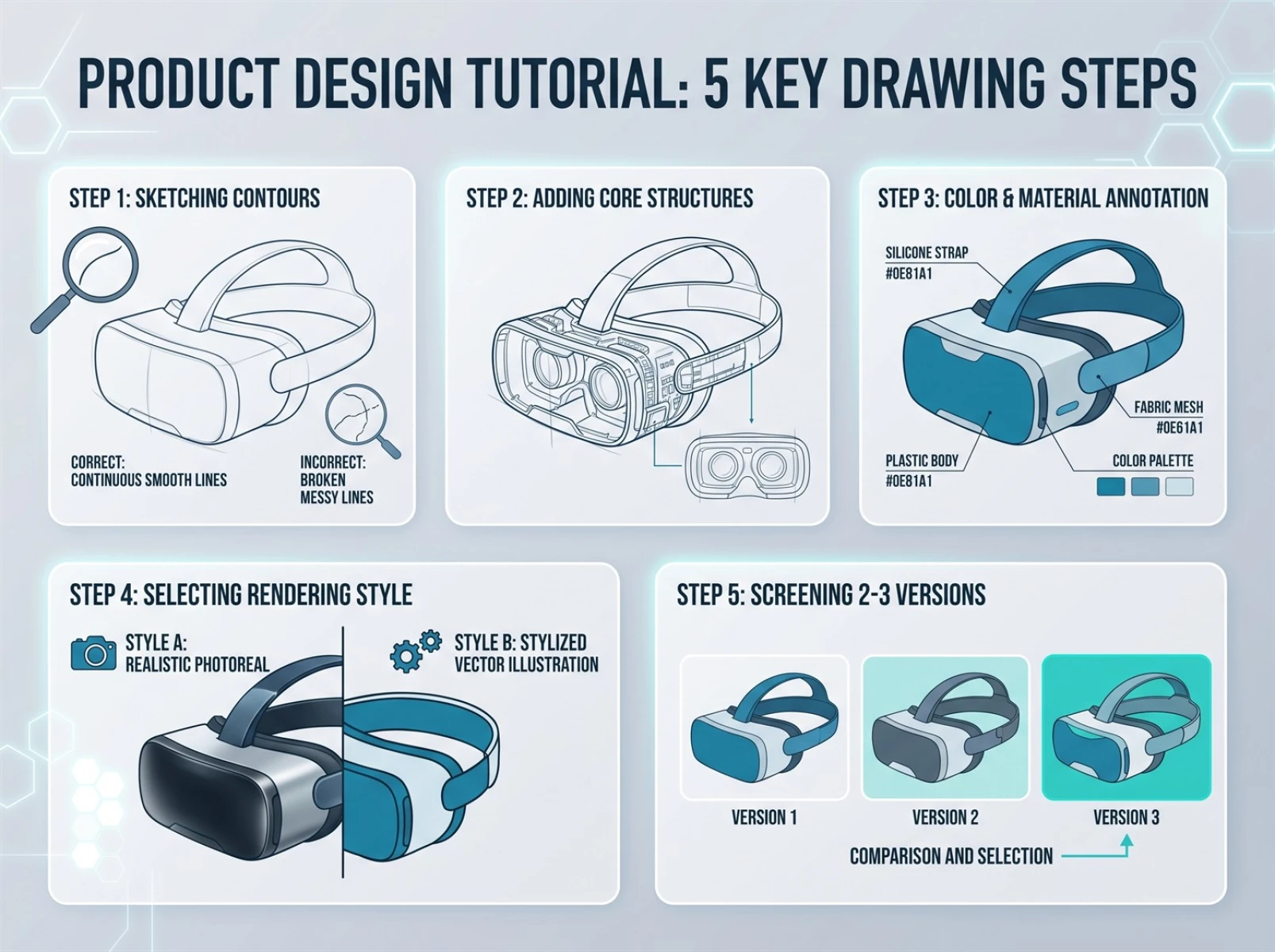
Follow these five actionable tips to boost sketch recognition accuracy and render texture quality:
1. Ensure clear primary outlines and complete core lines in sketches; avoid blurriness, broken strokes, and messy scribbles.
2. Draw full core structures to help the AI precisely identify product forms and spatial layouts.
3. Add brief notes marking preferred materials, colors, and textures to guide the AI’s style matching.
4. Select a rendering style aligned with your use case to prevent stylistic mismatches.
5. Generate 2–3 alternative versions for comparison and minor fine-tuning to further optimize output suitability.
VII. Frequently Asked Questions (FAQ)
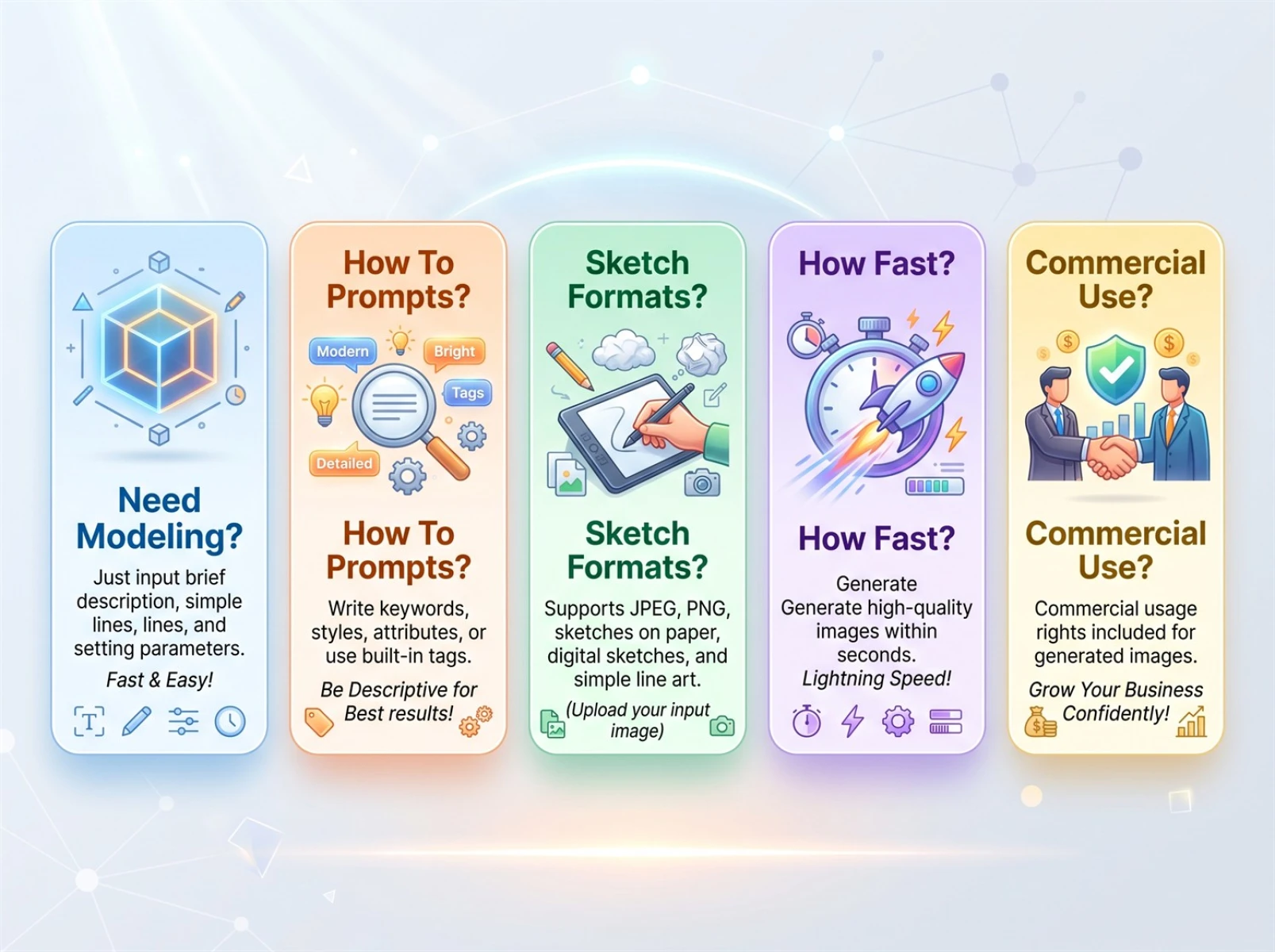
Q1: Do I need to create 3D models to generate renders with Fast Image AI?
A1: No. The tool directly recognizes hand-drawn sketches and line art without 3D modeling; the AI independently completes structural reconstruction and render export.
Q2: Do I have to write prompts to use this feature?
A2: Complex prompts are unnecessary. Users only upload sketches and select a matching style to auto-generate scenario-specific renderings.
Q3: What types of sketches does the platform support?
A3: All hand-drawn line art and sketches are supported, including architectural, interior, product, furniture, UI, illustration, and character design drafts. Mobile photos of physical paper sketches are also fully recognizable.
Q4: How long does it take to generate a single render?
A4: Simple standard sketches finish rendering in seconds, while complex structures take marginally longer. Batch test data records an average generation time of only 4.8 seconds per image—far faster than traditional multi-hour rendering and the dozens of seconds required by standard AI tools.
Q5: Can I use generated images for commercial purposes?
A5: Generated works may be used for regular commercial scenarios including design presentations, e-commerce displays, advertising promotions, and social media visuals, provided users comply with the platform’s Terms of Service.
Conclusion
The core competitive advantage of today’s AI design tools lies in practicality and real-world rendering efficiency. Fast Image AI’s flagship sketch-to-image feature thoroughly simplifies the cumbersome workflows of traditional rendering, removing high-barrier tasks such as modeling, complex parameter adjustment, and professional prompt writing. Backed by stable verified performance, the tool rapidly outputs standardized commercial renders suitable for diverse use cases: concept iteration for professional designers and creative realization for general creators alike. If you are searching for an AI rendering tool with consistent output, simple operation, and no modeling requirements, Fast Image AI’s sketch generation feature is a cost-effective premium solution.