What Is AI SketchtoImage Conversion - How Fast Image AI Converts HandDrawn Sketches to HD Renderings
In all creative scenarios including design creation, product development and new media content production, hand-drawn sketches are always the primary carrier of creative ideas. Yet most creators face the same dilemma: ordinary hand-drawn drafts cannot be directly converted into high-definition visual finished products ready for commercial use and display. With the popularization of AI visual generation technology, AI sketch-to-image tools have become a vital auxiliary solution to address this pain point. Among them, Fast Image AI features exclusive function adaptation tailored to real-world design scenarios. It can transform casually drawn line drafts into visually cohesive, detail-rich artworks, drastically lowering the barrier to visualizing creative concepts. To quickly convert hand-drawn sketches into high-definition images, users may directly utilize the sketch-to-image feature of Fast Image AI to visualize creative ideas without mastering professional design software.
I. What Is AI Sketch-to-Image Conversion?
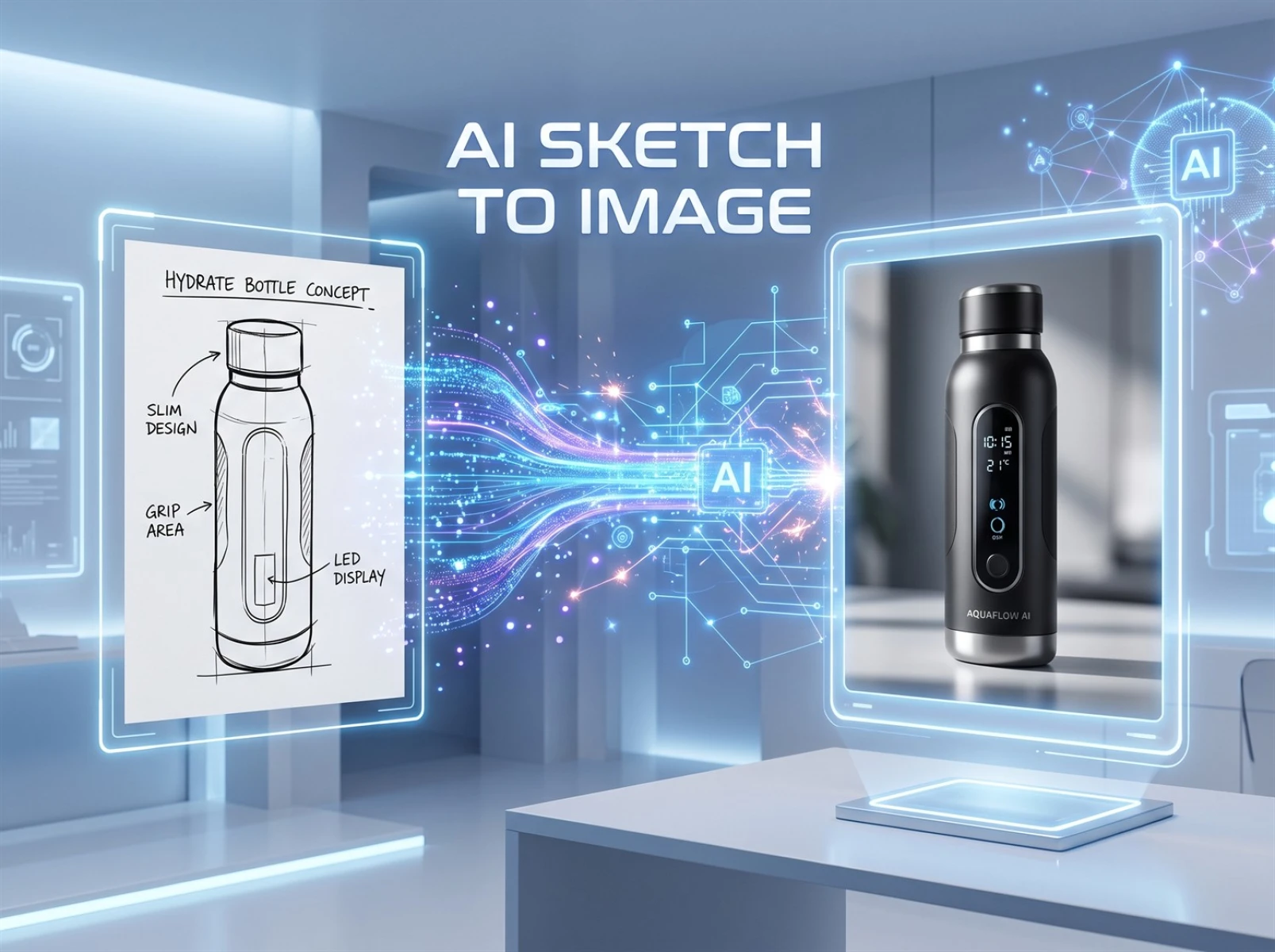
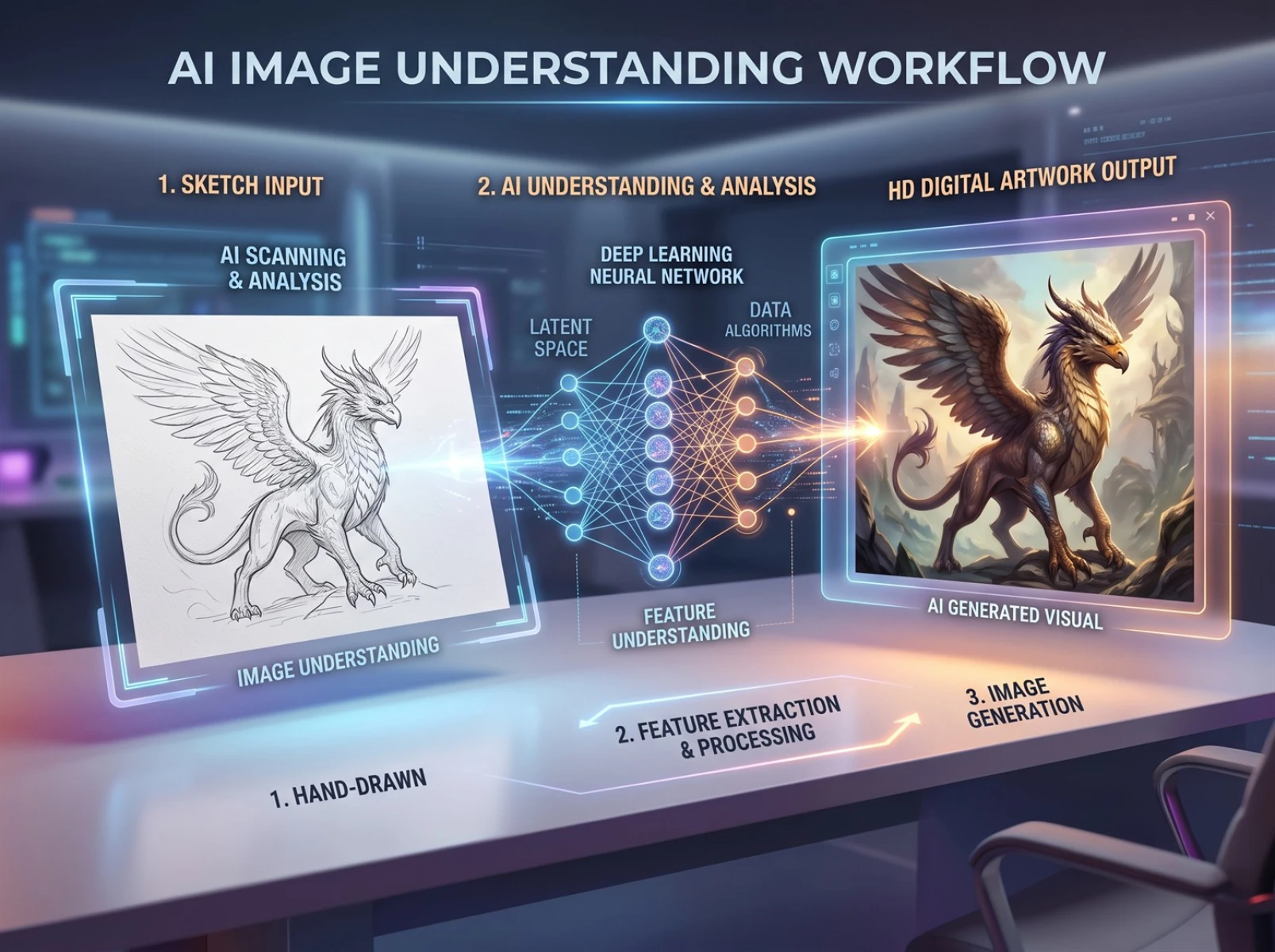
AI sketch-to-image conversion is a mainstream intelligent visual assistance technology today. Relying on AI image understanding and generation capabilities, it generates new visuals based on simple hand-drawn line art to produce complete renderings.
It differs fundamentally from basic beautification tools that rely on traditional filter retouching and asset collage. Its core logic is to parse users’ hand-drawn outlines via visual models and then fully reconstruct the entire frame. Simply put, users only need to sketch core concepts with basic lines without advanced drawing proficiency. Combined with sketch structure and text prompts, the AI automatically adds image details, light, shadow, textures and scene atmosphere to output high-resolution, multi-layered visual assets.
This AI conversion technology suits lightweight creative workflows. It meets the needs of novice creators looking to visualize ideas quickly and allows professional designers to produce multiple draft iterations in bulk. At present, it is widely used for product concept sketches, preliminary illustration drafts, cultural and creative product modeling, social media illustration creation, university design coursework and other applications.
II. Why Can Hand-Drawn Sketches Hardly Become Finished Works Directly?
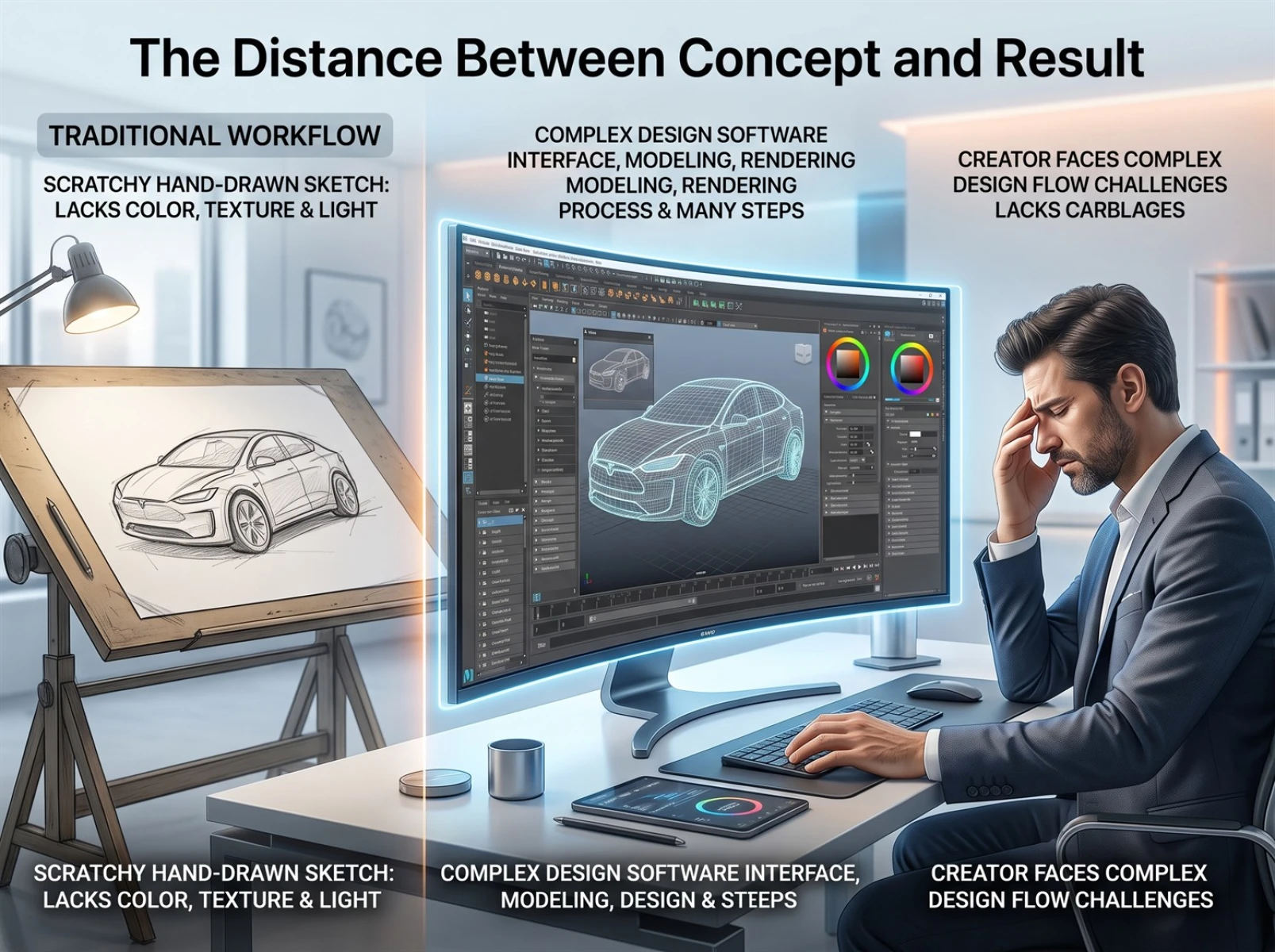
Many people mistakenly assume sketch refinement only involves color grading and cosmetic retouching. In reality, multiple creative barriers separate raw hand-drawn drafts from commercially viable finished visuals — this is why traditional sketch revision pipelines are extremely time-intensive. The three main obstacles are listed below:
1. Insufficient Fundamental Visual Information
Hand-drawn drafts are made solely to record ideas. They typically feature messy strokes, simplified forms, no color, absent lighting and shadows, and missing surface textures. Often, only the creator can understand the design logic behind them, making them unsuitable for external proposals, submissions or commercial releases.
2. Steep Learning Curve for Professional Post-Processing
Converting rough drafts into usable final assets via traditional workflows requires mastery of professional software such as Adobe Photoshop and 3D modeling & rendering programs. Users must manually adjust composition, fix proportions, paint lighting and shadow, and overlay surface textures. Even skilled designers spend several hours completing the full pipeline, while beginners struggle to finish all optimization steps independently.
3. Generic AI Drawing Tools Have Poor Line Art Compatibility
Most mainstream entry-level AI drawing tools take text prompts as their primary input and lack robust recognition for casual hand-drawn linework. Images generated from sketches frequently suffer from distorted main subjects, warped shapes, unbalanced proportions and disjointed artistic styles — all of which drastically deviate from the creator’s original design vision and fail to meet production standards.
These limitations trap countless hand-drawn creative concepts in draft form and prevent the fast production of complete visualized solutions. Equipped with dedicated line-art recognition algorithms, AI sketch-to-image tools stand distinctly apart from text-only image generation models. They generate visuals that faithfully follow the original hand-drawn forms, greatly reducing the risk of creative drift.
III. How Does Fast Image AI Achieve Efficient Sketch Conversion?
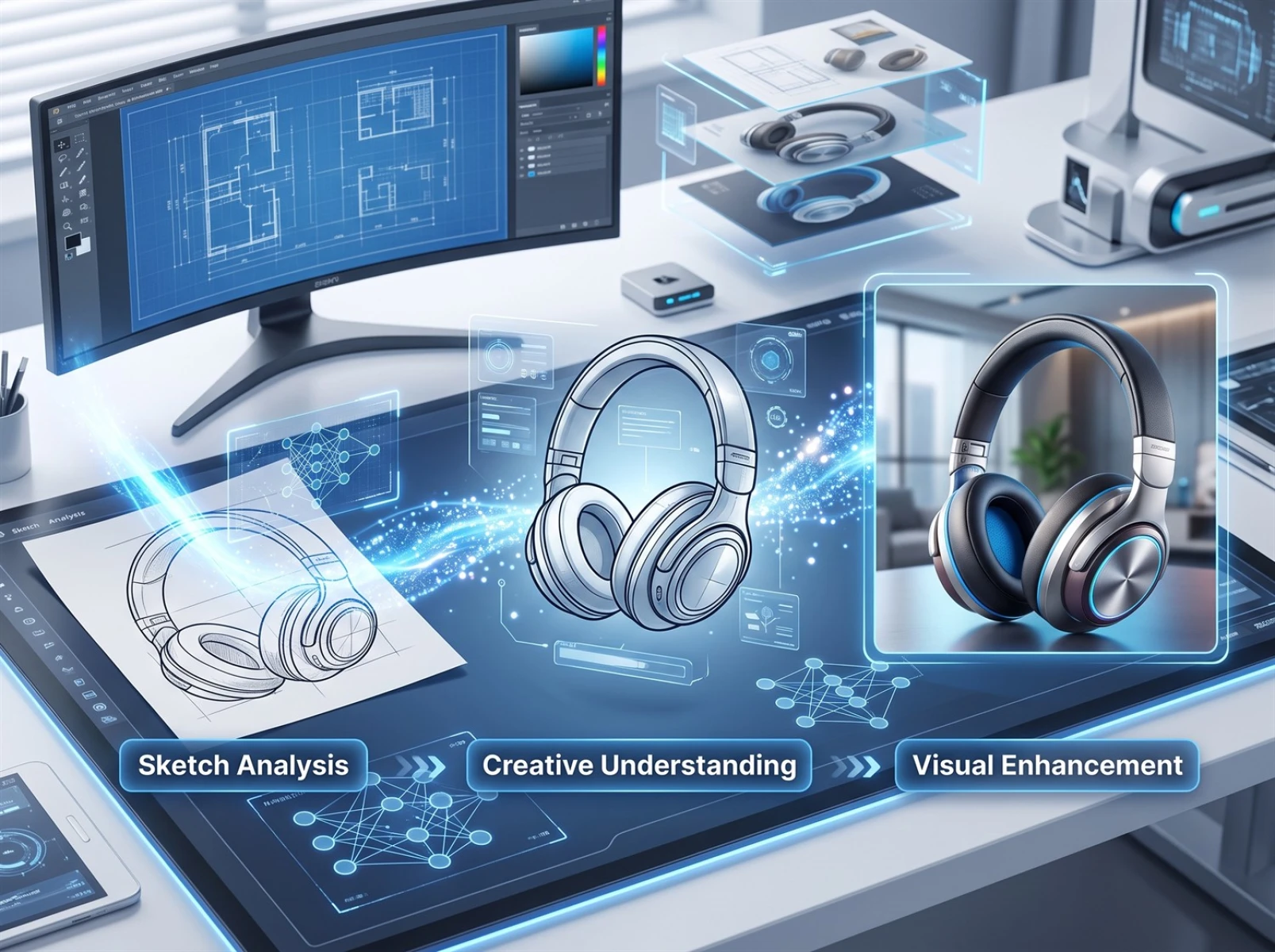
Unlike simplistic filter-based and asset-collage AI drawing tools, Fast Image AI is trained on multi-industry design datasets to accommodate hand-drawn inputs. It supports a wide range of common hand-drawing styles and follows a three-stage processing pipeline to minimize image distortion and creative drift, helping users convert rough sketches into polished complete visuals:
1. Parse the Sketch’s Overall Structural Layout
The first stage analyzes the sketch’s overall layout instead of mechanically copying every individual hand-drawn stroke. The system scans the full draft to identify key subject outlines, stroke arrangement, overall composition and spatial proportions. Even if hand-drawn strokes are irregular or contain minor drawing errors, the tool clearly distinguishes core subjects from empty space, reduces interference from flawed linework, builds a stable underlying structural framework, and minimizes issues such as misplaced subjects and shape warping.
2. Interpret the Creative Intent Behind the Sketch
This feature is Fast Image AI’s core competitive advantage over generic text-to-image AI models. Standard AI only replicates superficial visual content and cannot interpret the design intent embedded within hand-drawn artwork. This tool infers the user’s general creative direction from stroke layout, subject forms and compositional logic. Whether users aim for realistic industrial products, Chinese national trend illustrations, minimalist futuristic aesthetics, 2D anime characters, spatial environments or cultural and creative product forms, the platform matches suitable art styles to reduce stylistic misalignment and creative drift.
3. Layered Generation of Comprehensive Visual Details
Once the image structure and creative direction are locked in, the AI generates diverse visual elements in separate layers and optimizes the overall visual presentation. For blank line art, it automatically matches appropriate surface textures, volumetric lighting and shadow, environmental backgrounds and cohesive color palettes. It also automatically corrects obvious proportional flaws and missing strokes within sketches, unifying surface textures and visual hierarchy. The final output is far more than a simple color fill for line art: it delivers fully detailed visuals with soft lighting, consistent textures and harmonious styles, ready for direct use in design proposals, initial content drafts, artwork showcases and other lightweight use cases.
IV. Practical Test Case: Generating Product Renderings from a Hand-Drawn Water Cup Sketch
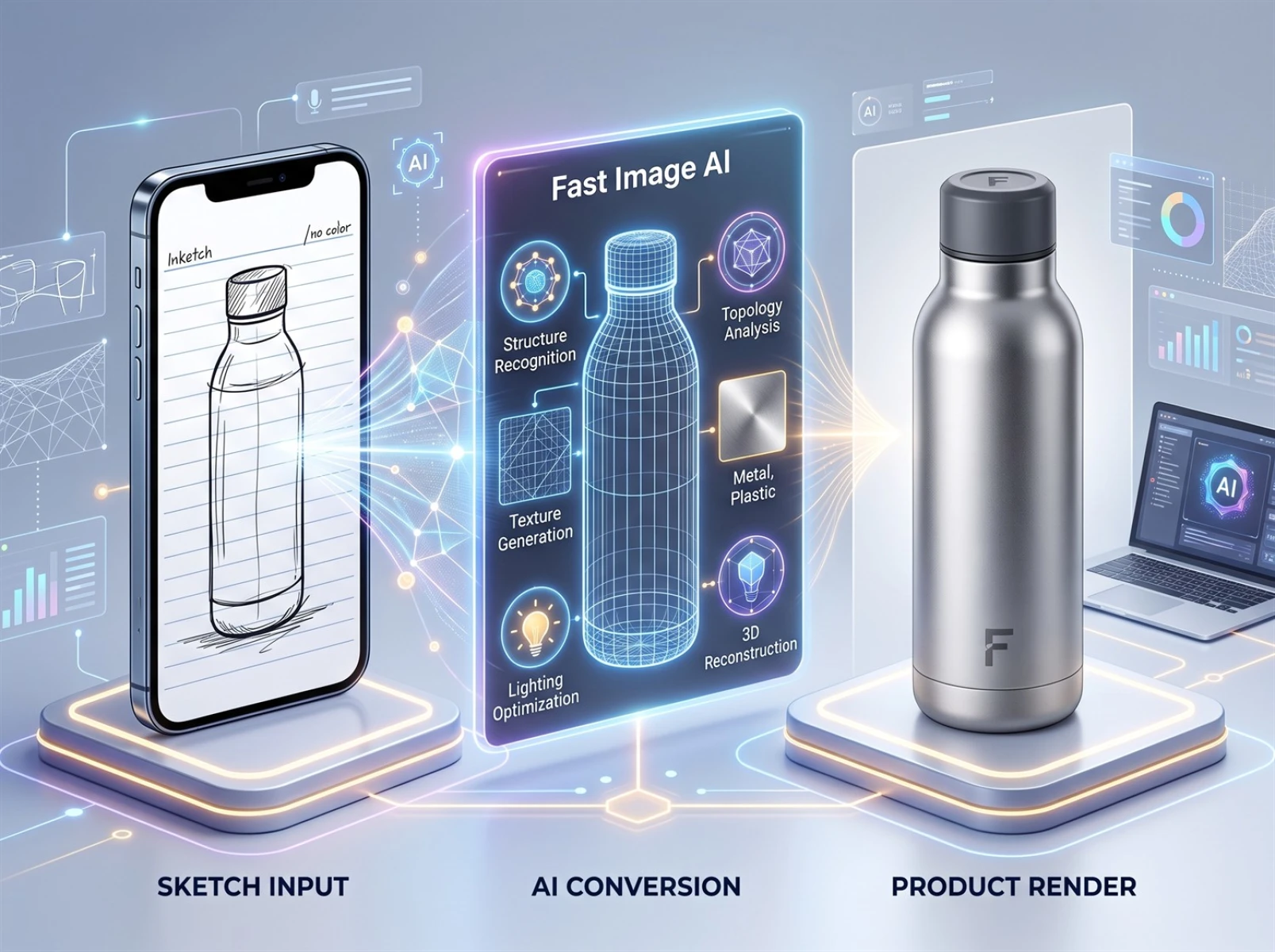
To intuitively demonstrate Fast Image AI’s practical performance, we ran a test focused on industrial product design, fully replicating the end-to-end workflow from a minimalist hand-drawn rough sketch to a finished commercial product rendering.
Full Test Environment Specifications
• Test Tool: Sketch Render Module of Fast Image AI
• Input Asset: Mobile phone photograph of a paper hand-drawn water cup sketch (drawn casually by someone with zero formal art training, featuring unrefined strokes with no color, lighting, shadow, background or material details)
• Preset Output Resolution: 1024×1024
• Average Generation Time Per Image: 5–10 seconds (minor fluctuations depend on server load and image detail parameters)
• Test Objective: Generate industrial-style renderings suitable for preliminary product presentations
Complete Operation Steps
1. Upload the original mobile photo of the hand-drawn water cup sketch;
2. Select the Industrial Design Realism category in the style template sidebar and fine-tune high-definition output parameters;
3. Click the Generate button and wait briefly to retrieve the finished image.
Generated Output Performance
The AI fully retains the water cup’s original outline and overall form without obvious morphological distortion or proportional imbalance. It coats the cup body with delicate frosted metal textures, constructs layered volumetric lighting and shadow, and pairs the product with a minimalist solid-color photography backdrop. The visual quality closely matches professional commercial renderings, making it suitable for initial corporate proposals, university coursework and reference illustrations for social media platforms.
Efficiency Comparison Benchmark
Within traditional design pipelines, creating an identical product rendering from scratch — including texture detailing, lighting rendering, background matching and full error correction — typically takes 2 to 4 hours. Fast Image AI produces a single rendering in mere tens of seconds. It eliminates common sketch-to-image flaws such as distorted core subjects and disjointed art styles, while drastically cutting time spent on design drafting and creative development. It caters to lightweight use cases including student coursework, social media illustration creation, preliminary corporate proposals and cultural and creative product iteration.
V. FAQs About AI Sketch-to-Image Conversion
1. Q: Do I need professional drawing skills to use AI sketch-to-image tools?
A: No. The core strength of these tools is lowering creative barriers. Users only need to upload basic hand-drawn linework paired with brief text prompts describing their requirements. The AI automatically handles lighting rendering, texture mapping, scene construction and other details to convert rough sketches into complete images.
2. Q: Can AI convert hand-drawn sketches into professional-grade product renderings?
A: Yes. Fast Image AI comes with built-in realistic industrial style presets. After uploading product-focused hand-drawn linework, the AI automatically matches corresponding materials, lighting, shadow and concise display backdrops to produce renderings with near-professional visual quality, ideal for early-stage new product design, university design coursework and proposal references.
3. Q: Is the AI sketch-to-image function free to access?
A: The platform offers a free trial quota; new users can generate basic-size sketch renderings with no charge. Premium features including high-resolution large-format exports, batch generation and commercial licensing require subscriptions to corresponding paid plans. Exact pricing is subject to real-time updates posted on the platform.
4. Q: Is it legally safe to use AI-generated images for commercial purposes?
A: Commercial licensing terms vary widely across different platforms. For commercial applications such as product promotions and paid illustration content, users must review Fast Image AI’s latest service agreement in advance to confirm authorized usage scope and avoid intellectual property disputes.
VI. Conclusion
AI sketch-to-image technology effectively resolves core industry pain points: lengthy lead times for turning hand-drawn ideas into finished assets, and cumbersome, time-heavy post-production workflows in traditional design. Centered on hand-drawn linework as its core input medium, Fast Image AI accurately captures users’ original design intent and rapidly generates lighting, textures and scene details for visuals. Whether for student design practice, cultural and creative product iteration or social media illustration creation, creators can leverage this tool to reduce creative barriers and speed up rendering workflows. Backed by robust image parsing and generation algorithms, it supports most lightweight creative production use cases and delivers a convenient, time-efficient creative visualization solution for creators without advanced post-processing expertise.
If you are searching for an intuitive, beginner-friendly AI sketch-to-image tool, Fast Image AI enables seamless conversion from hand-drawn concepts to high-definition finished visuals. Try the AI sketch generation feature today to bring your creative ideas to life efficiently.