Fast Image AI - Turn Sketches Into Photorealistic Images Without PS or 3D Modeling
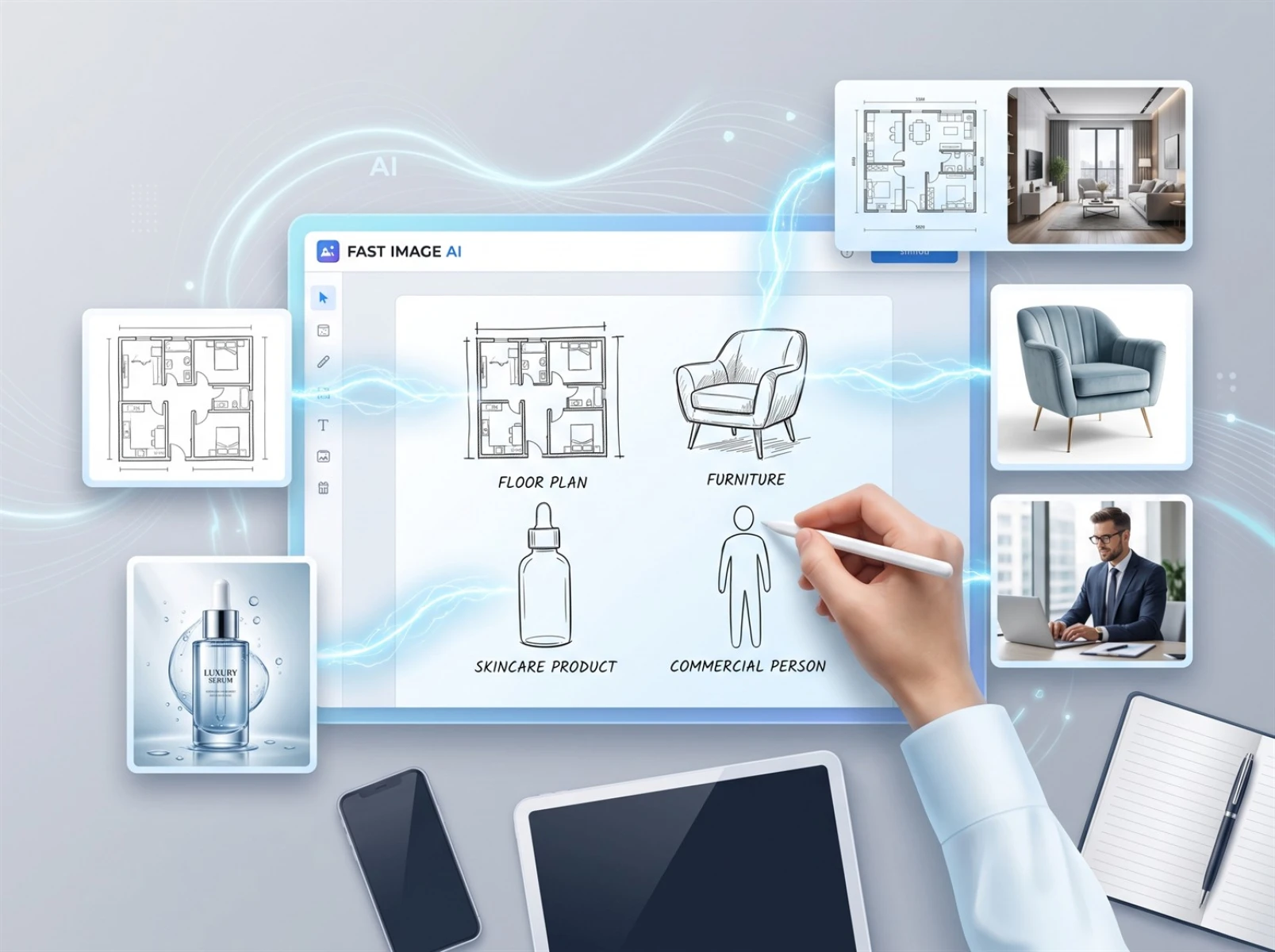
E-commerce operators, interior designers, content creators and design students constantly need large volumes of high-definition original visuals. However, professional graphic software such as Photoshop, 3ds Max and CAD has a steep learning curve and slow rendering speeds, making it difficult for beginners to quickly produce compliant commercial renderings. As lightweight AI design tools continue to evolve in 2026, Fast Image AI stands out with its core sketch-to-image and sketch-to-real-scene functions, perfectly solving image creation challenges for ordinary creators. Simply draw a rough draft, and you can generate photorealistic high-definition finished visuals in seconds — no prior experience with professional design software required. Based on real tests using hand-drawn materials, this article objectively analyzes the tool’s core strengths, operation workflow and applicable scenarios, helping creators produce original visuals efficiently at low cost.
I. Three Major Pain Points of Traditional Image Creation That Slow Creators Down
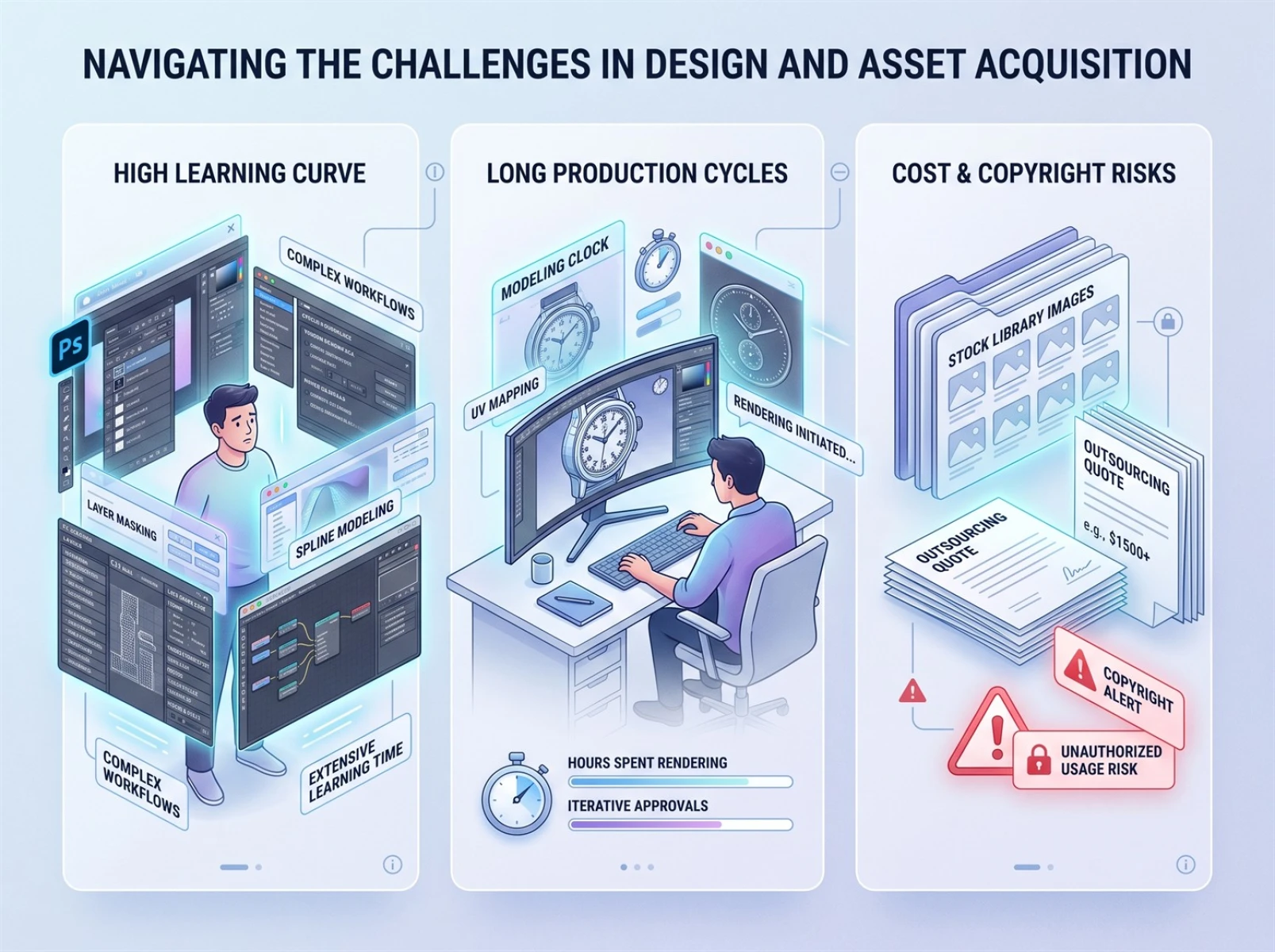
All types of creators have regular image production demands, yet traditional professional graphic workflows carry obvious drawbacks. They consume massive amounts of time and energy, pushing most users to seek efficient sketch-to-image alternatives.
1. Steep learning curve and high training costs
Professional design software features complex functional systems. Mastering basic operations takes 1 to 3 months, while advanced skills including light and shadow adjustment, material rendering and detailed refinement require years of practice. Non-professional creators invest excessive time into learning only to produce rough, low-quality visuals, resulting in a severe imbalance between effort and output. AI sketch-to-image tools eliminate this problem entirely.
2. Long production cycles and inflexible revisions
Senior designers spend at least dozens of minutes on a single refined rendering, and complex scenes can take hours. Beginners need twice as long to complete the work manually. Any changes to shapes or styles require repeating the entire graphic creation process, which cannot meet the high-frequency update demands of e-commerce new product launches and content creation. Sketch conversion tools drastically cut down production time.
3. High outsourcing costs and copyright risks from stock images
Custom renderings cost tens to hundreds of yuan apiece, leading to huge expenses for batch production. Free stock images suffer from severe homogeneity and carry high risks of copyright infringement when used commercially. Personal hand-drawn sketches consist only of simple lines and are too low-quality for commercial release. Professional sketch-to-image tools instantly upgrade image quality to meet commercial standards.
Constrained by technical barriers, time costs and budget limits, traditional graphic creation methods lag behind modern demands. Fast Image AI’s sketch-to-image function directly addresses all these pain points, tearing down the technical divide between professional designers and ordinary creators.
II. Four Core Advantages Verified in Real-World Tests, Outperforming Mainstream AI Drawing Tools
Most AI drawing tools on the market feature complicated parameters and produce heavily distorted images, failing to balance ease of use and visual quality. Fast Image AI focuses exclusively on realistic sketch conversion, centers on mainstream image creation needs and strips away redundant professional functions. This test uses rough doodles, floor plan line art, product sketches and character illustrations drawn by average users to replicate real usage scenarios, highlighting the tool’s standout strengths.
1. Zero learning threshold; no complex prompts required
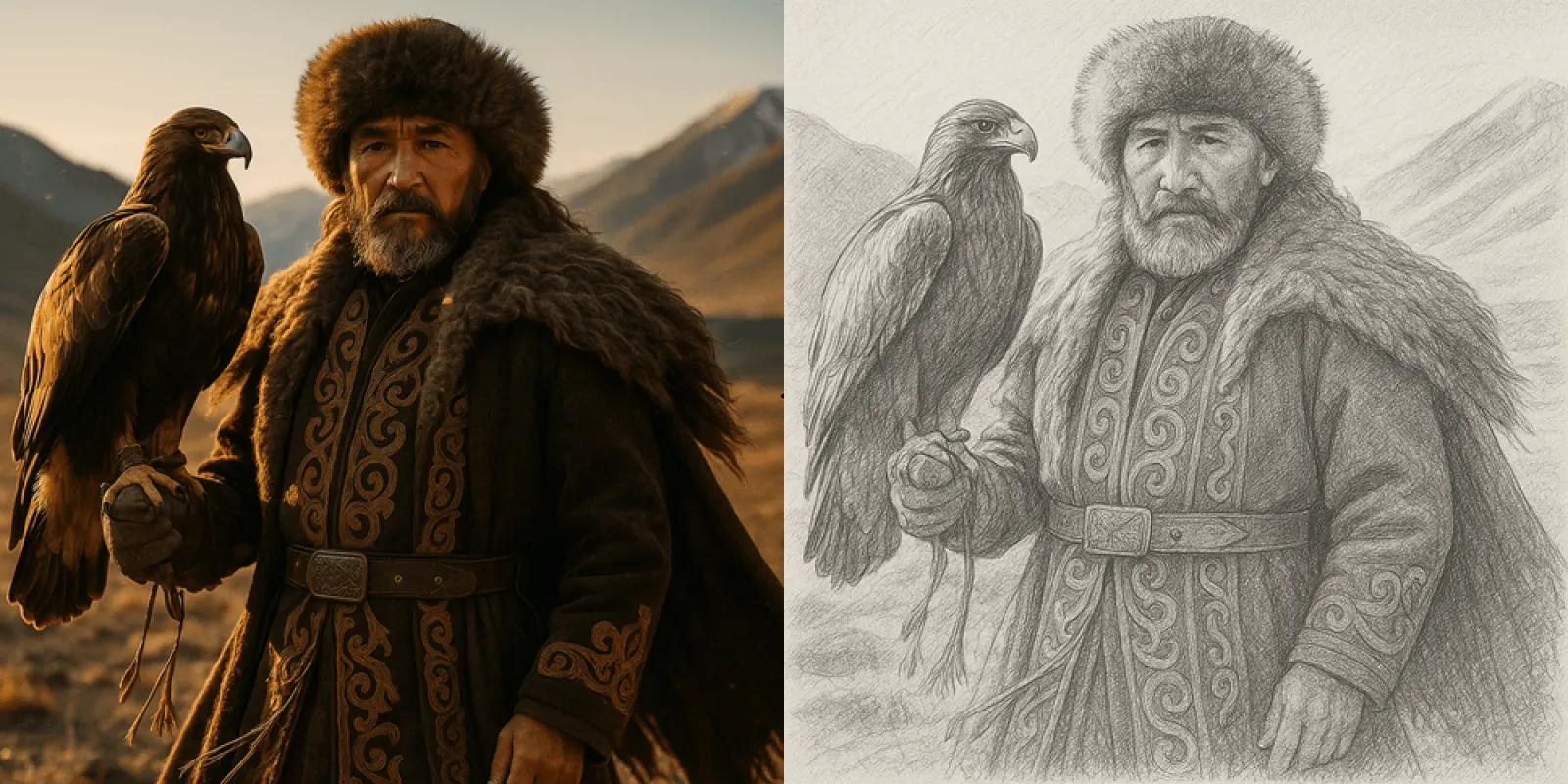
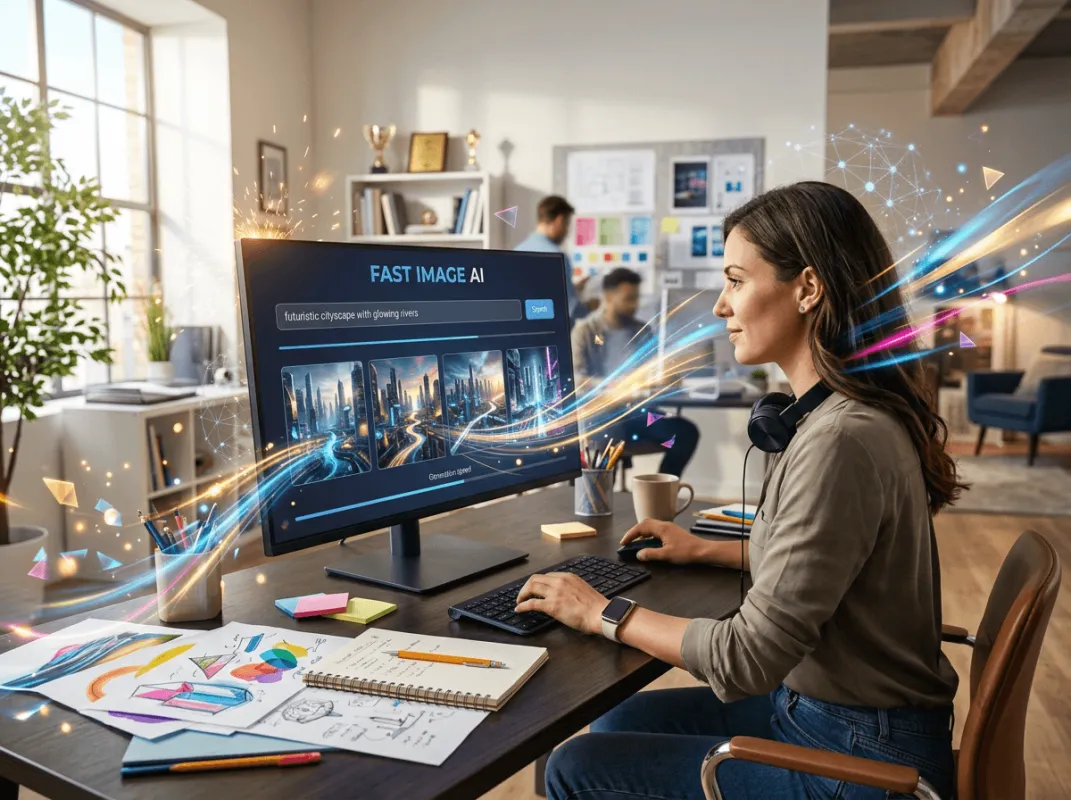
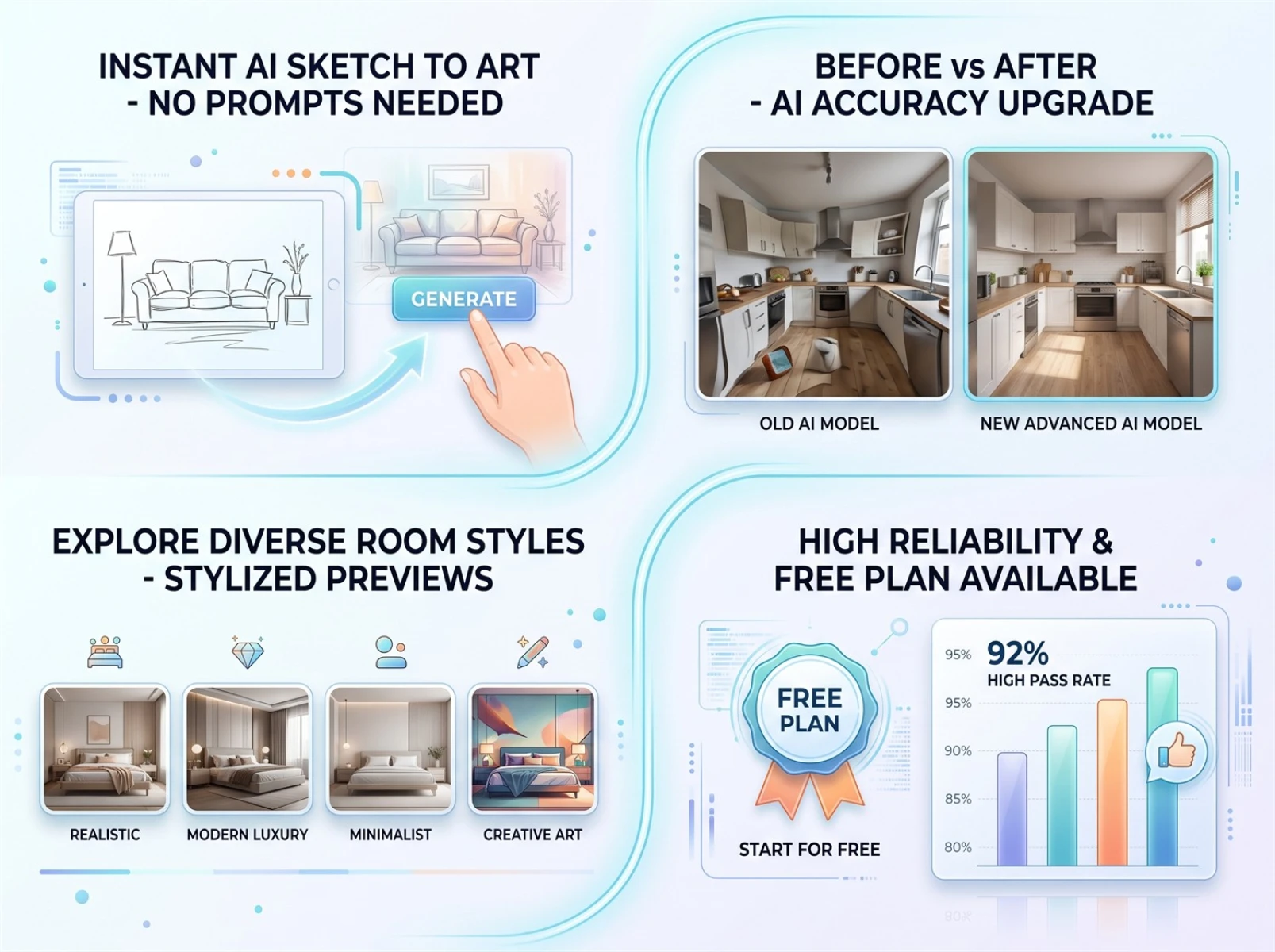
The tool features a fully visual, streamlined operation system that anyone can master without tutorials or professional expertise. It accurately recognizes rough hand-drawn outlines created on phones, tablets or paper, even with minor proportional deviations. After uploading a sketch, the system automatically optimizes lines, adds light and shadow, and matches textures, delivering finished images in 5 to 10 seconds with no manual fine-tuning needed. Users no longer have to struggle with complicated Photoshop or 3D modeling workflows.
2. Upgraded real-scene rendering model drastically reduces image distortion
Commercial visual materials in 2026 demand ultra-high realism. Blurry visuals, inconsistent lighting and distorted structures generated by generic AI tools no longer satisfy commercial standards. Equipped with an upgraded real-scene rendering model, this tool fixes common flaws of traditional AI artwork such as fuzzy edges, warped perspective and unnatural textures, delivering a massive leap in visual quality for sketch conversions. Compatible with home decoration, furniture, product and character scenes alike, it automatically generates authentic textures and natural lighting, producing polished, AI-artifact-free images fully qualified for commercial use.
3. Multi-style, multi-scene compatibility covering graphic needs across all industries
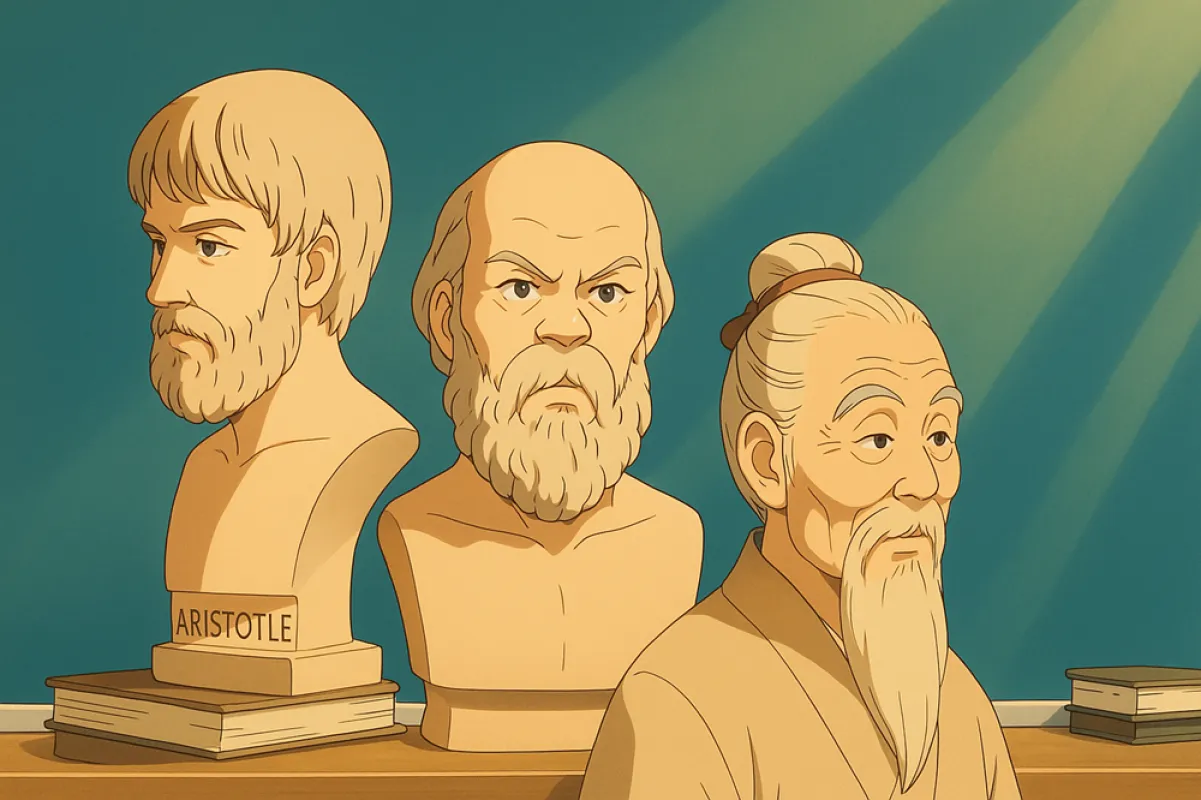
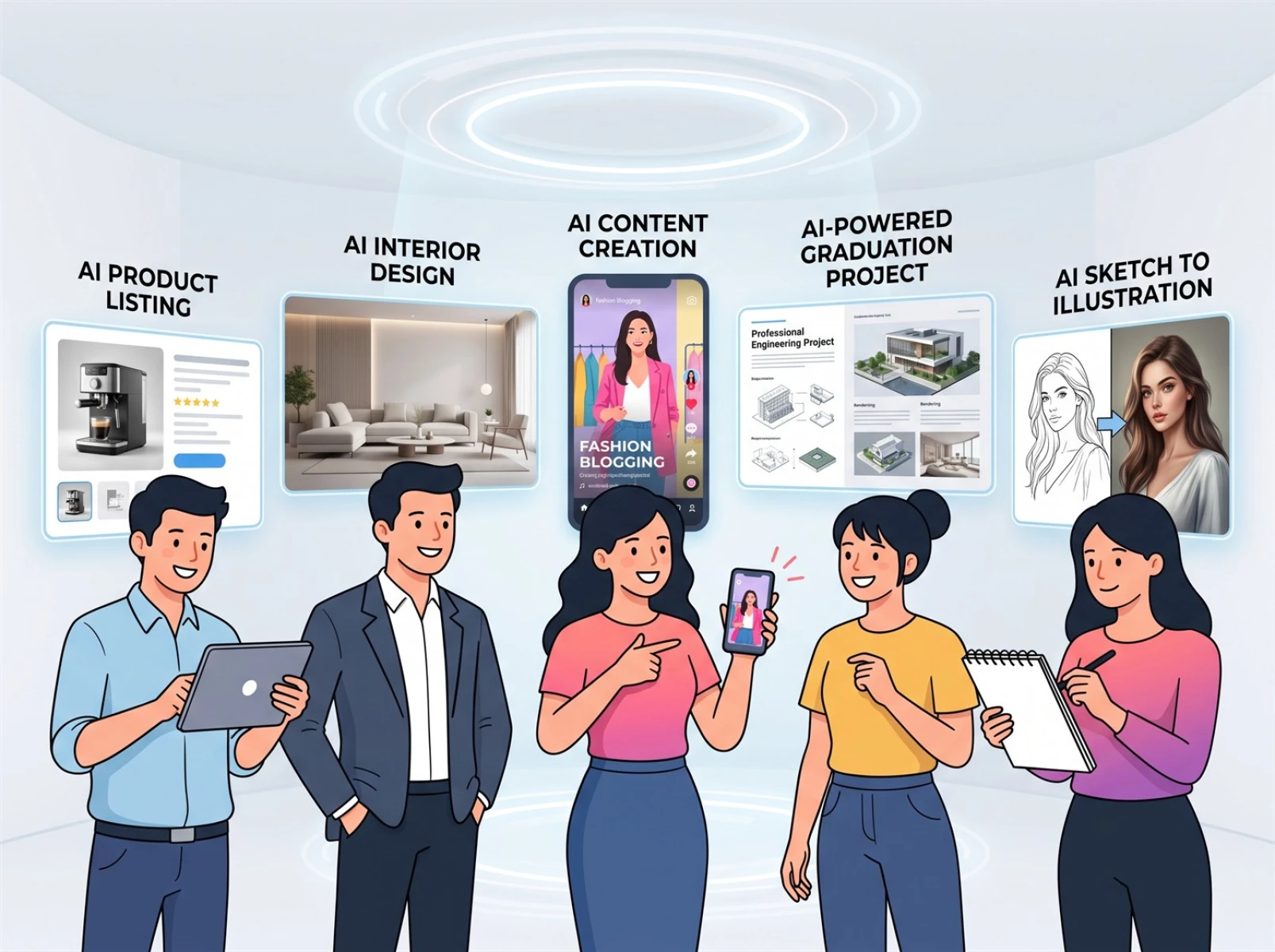
Unlike basic AI drawing tools limited to anime styles, Fast Image AI’s sketch conversion function serves creators from all industries. E-commerce merchants can quickly generate real product photos; interior designers can produce renovation renderings; content creators can create original editorial images; art students and sketch artists can convert line art into polished visuals. The platform comes with built-in mainstream styles including photorealism, minimalist design and luxury aesthetics. Users can switch between multiple visual effects for a single sketch to fit store listings, client proposals and artwork submissions.
4. Ultra-fast generation speed; permanent free access to core basic functions
Compared with manual traditional graphic creation, the tool boosts efficiency by over 90% with nearly perfect sketch recognition accuracy, fully preserving the creator’s original composition and creative vision. Its one-shot success rate reaches 92%, far exceeding the industry average of 70%, with rare issues of missing elements or distorted frames. Meanwhile, basic sketch-to-image features remain permanently free — no annual fees, hidden charges or mandatory subscriptions, minimizing graphic production costs for everyday creators.
III. Real Hand-Drawn Test Cases Demonstrating Sketch Conversion Results
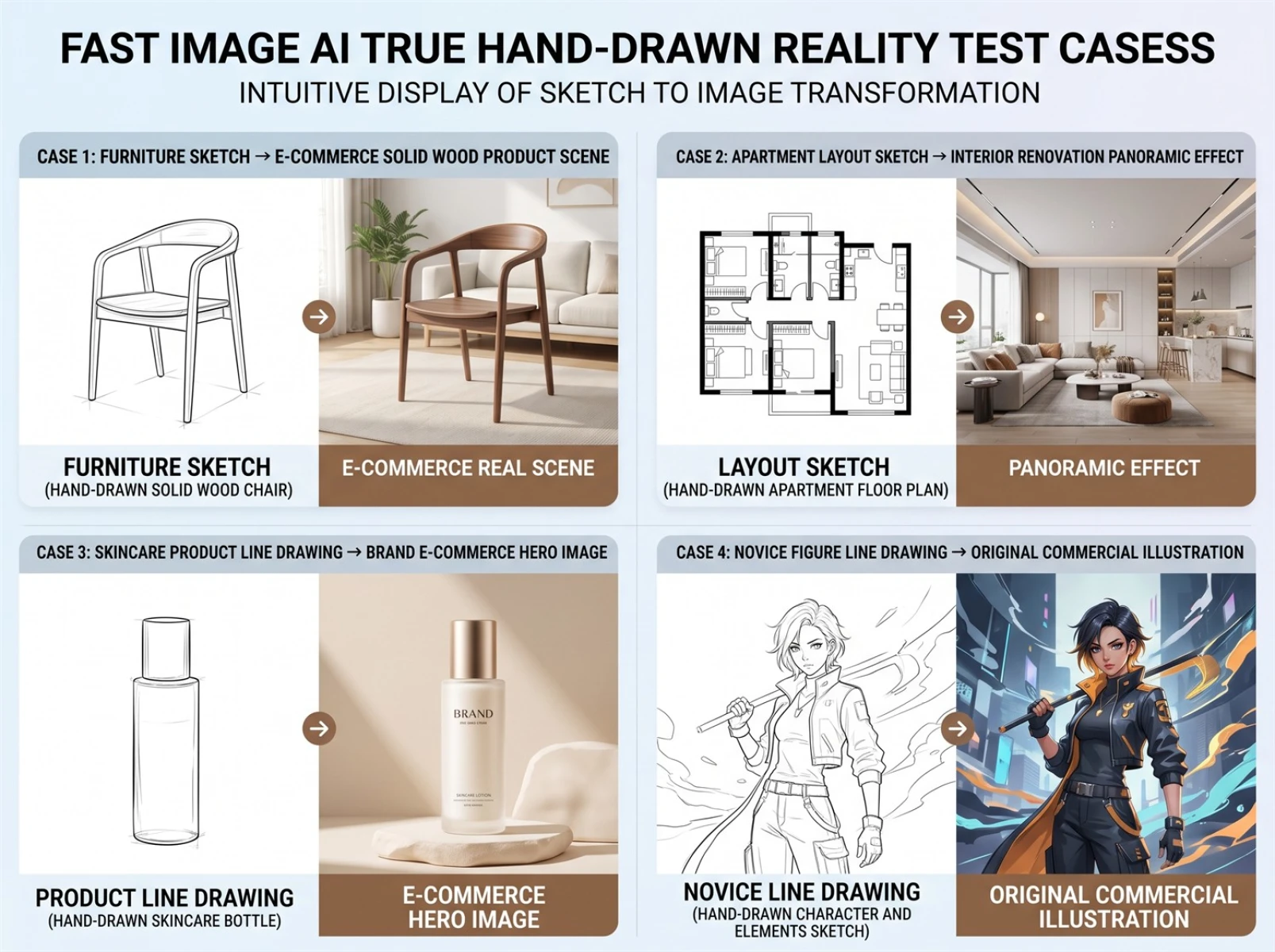
All test materials below are unpolished casual drafts drawn by amateurs, with no post-production filtering or selective screening, reflecting the tool’s actual real-world performance for sketch conversion.
Case 1: Furniture Draft → Photorealistic Solid Wood E-Commerce Product Shot
Test material: A simple outline sketch of a solid wood coffee table drawn by a beginner, with no texture or lighting details. The traditional workflow requires modeling, texture adjustment and rendering, which takes 1 to 2 hours. The AI sketch converter accurately reconstructs the furniture structure, automatically generates natural wood grain and soft ambient lighting with standard perspective and lifelike textures. Finished outputs can be directly used as e-commerce main product images and display materials.
Case 2: Floor Plan Sketch → Full-Scene Interior Renovation Rendering
Test material: A minimalist two-bedroom floor plan draft only marking room divisions, doors and windows, with no soft furnishing or color schemes. Traditional 3D modeling and rendering workflows take at least three hours for a full set. The AI tool automatically applies minimalist home decor styles, generating flooring, ceiling designs, complete furniture sets and layered lighting while fully retaining the original floor layout without spatial distortion. Results are ready for client presentations and school assignments.
Case 3: Skincare Product Line Art → Brand E-Commerce Hero Image
Test material: An original outline sketch of a skincare container featuring only basic shapes, with no color or craft details. Beginners cannot independently complete traditional Photoshop retouching and 3D modeling workflows. The AI sketch converter produces translucent frosted product textures paired with minimalist premium backgrounds and natural lighting, delivering precise proportions and sharp visuals. Small and medium merchants can independently create brand commercial images without hiring professional designers.
Case 4: Beginner Character Line Art → Original Commercial Illustrations
Test material: A messy amateur character sketch with rough lines, no coloring or background. Traditional manual retouching and coloring would take half a day or longer. The AI automatically cleans up messy linework, matches complementary atmospheric color palettes and simple backgrounds, resulting in well-proportioned, highly original character art suitable for social media profile pictures and creative artwork submissions.
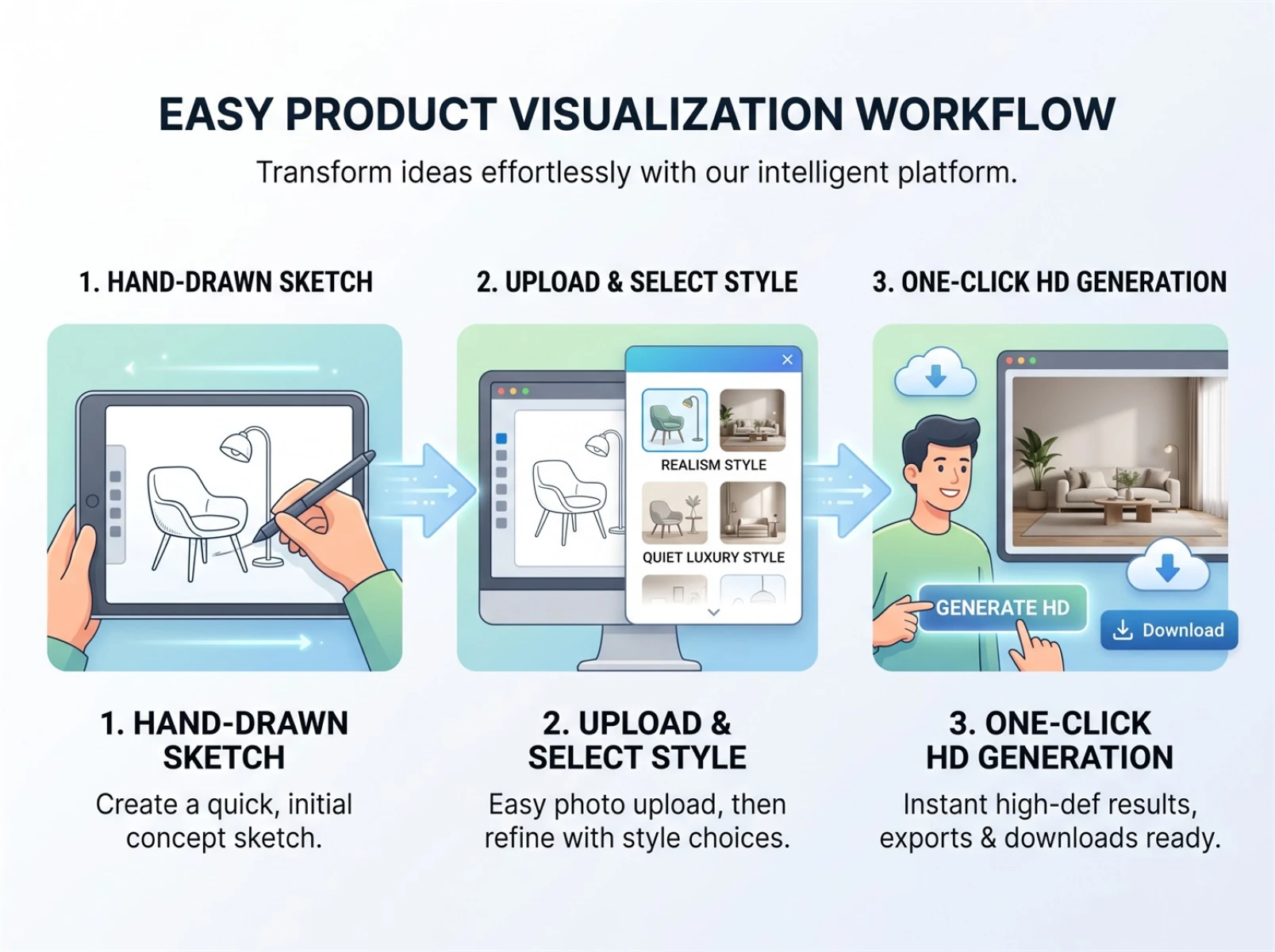
IV. Ultra-Simple 3-Step Workflow — New Users Generate High-Definition Finished Images in 30 Seconds
The tool boasts an effortless operation process accessible to users of all ages for fast sketch-to-image conversion.
1. Draw a simple sketch: No professional drawing skills required. Users can doodle on mobile phones, tablets or paper, as long as the main subject and basic composition are clear — even messy outlines are recognizable by the system.
2. Upload and select a style: After uploading hand-drawn material, pick a matching style such as photorealism or luxury based on your usage scenario. The system automatically analyzes your creative composition without lengthy text prompts.
3. Generate and export with one click: Wait dozens of seconds for high-definition finished images, downloadable without watermarks for commercial release, publishing and printing purposes.
V. Target Users & Practical Industry Value of the Tool
This sketch conversion tool caters to all amateur creators, addressing universal demands for original image production.
• New content creators: Independently produce original editorial images, reduce reliance on stock libraries and boost content originality.
• Small and medium e-commerce sellers: Rapidly generate product renderings and cut outsourcing design expenses.
• Design students: Efficiently realize creative concepts and shorten production time for coursework and graduation projects.
• Sketch and handmade enthusiasts: Instantly turn creative drafts into photorealistic finished visuals for exhibition and sharing.
In the 2026 content creation industry, originality and update speed are core competitive advantages. Traditional graphic creation workflows can no longer keep up with high-frequency content demands. AI sketch conversion tools break down technical barriers in professional design, allowing ordinary people to quickly realize all kinds of original visual concepts without long-term software training or high outsourcing costs.
VI. Frequently Asked Core Questions
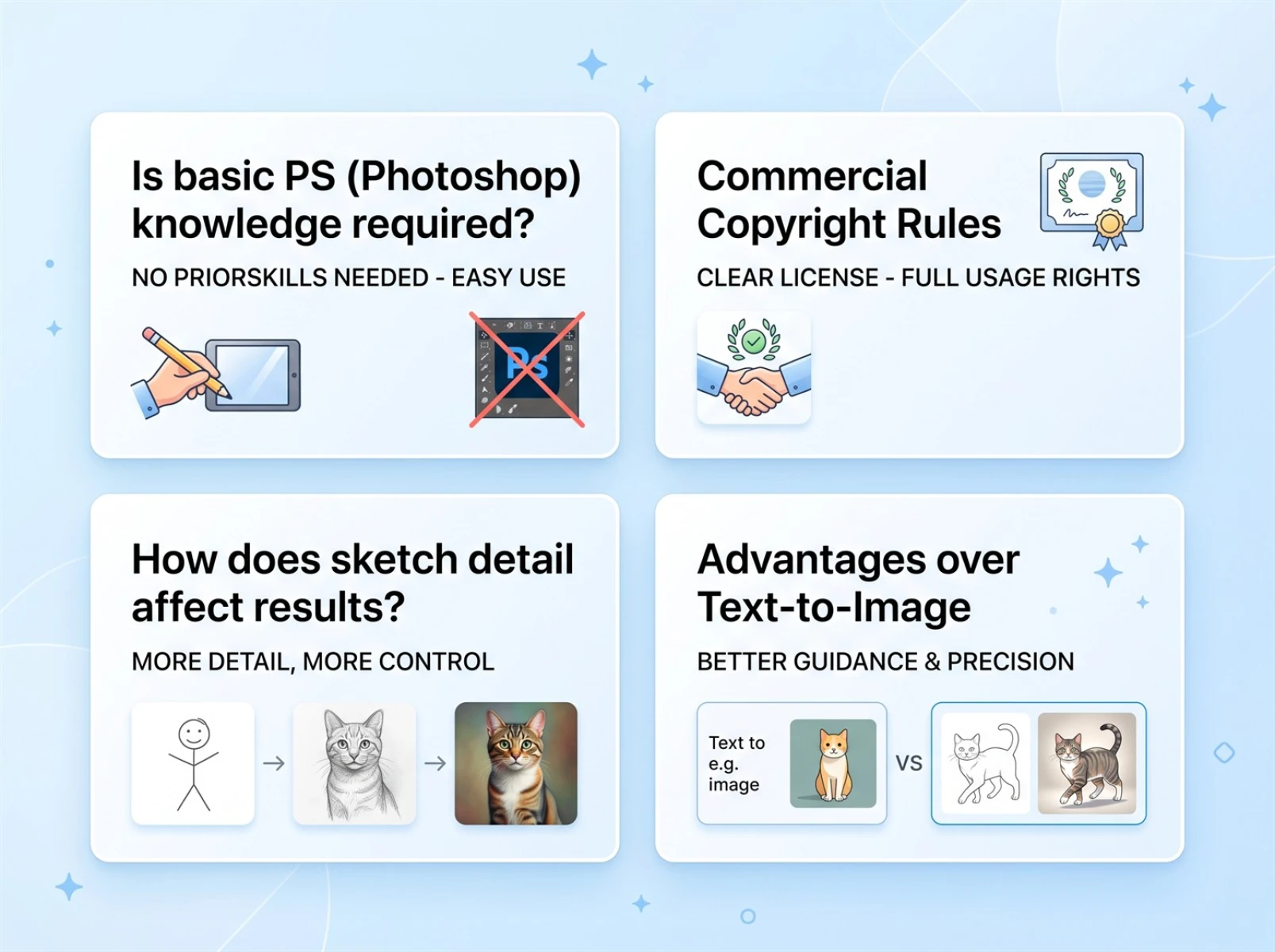
1. Do I need drawing or Photoshop skills to use the sketch conversion tool?
Not at all. The tool is highly tolerant of hand-drawn work. As long as the core subject and basic composition are clear, even messy lines can be accurately recognized, so absolute beginners can start using it right away.
2. Can the generated images be used commercially, and how are copyrights defined?
The free version only permits personal non-commercial use. For commercial scenarios such as e-commerce sales and brand promotion, users can unlock official commercial licensing from the platform. This carries lower copyright risks and offers stronger compliance compared to free stock image libraries.
3. Will more sketch details yield better conversion results?
Not necessarily. Excess cluttered lines and redundant decorations will interfere with AI recognition. Simple, clear outlines of the main subject tend to generate more stable, refined finished images.
4. What advantages does sketch-to-image conversion have over text-to-image AI tools?
Ordinary text-to-image generators rely on written descriptions. Beginners often struggle to describe ideas accurately, leading to uncontrolled, inconsistent visuals. Sketch-to-image tools center on the user’s hand-drawn composition, letting users fully control shapes and layout. The finished images have minimal deviation and high originality, eliminating the need for repeated trial and error.
VII. Evaluation Summary
The popularization of AI technology has completely broken the monopoly of professional design software. Ordinary creators no longer need to spend months mastering complex graphic tools or pay high fees for outsourced images; lightweight sketch-to-image AI tools enable anyone to independently produce high-definition photorealistic renderings.
Based on multiple real-world tests, Fast Image AI delivers outstanding performance in three key dimensions: beginner-friendliness, generation speed and sketch restoration accuracy, making it an extremely practical sketch conversion tool. If your primary need is to quickly turn hand-drawn drafts into commercial-ready renderings, this tool is well worth long-term use.